For Shopify stores with stock to sell and books to keep

Shopify accounting software with inventory built in.

Shopify sales. Inventory costs. Full books in one app.

Sync Shopify sales, fees, refunds, and payouts with Vencru. Track stock, add business costs, and get profit and loss, balance sheet, and cash flow reports. Double-entry books are built in, so you can use Vencru without a separate QuickBooks or Xero subscription.

Full accounting reports from US$30/month on Growth.

14-day trialNo credit card required60-day order import

Prefer to start on the web? Start a 14-day trial in the Vencru web app →

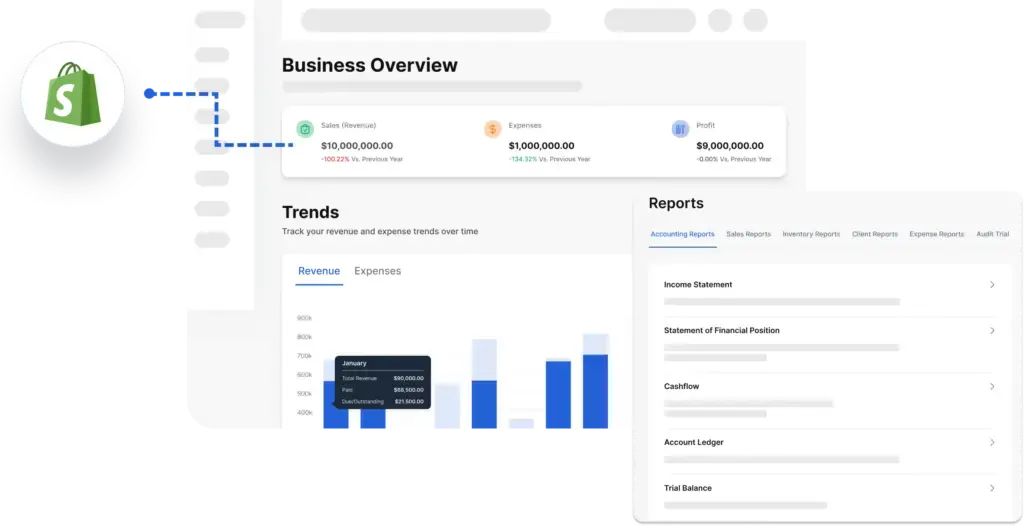
Vencru Shopify accounting preview showing the business overview and accounting report menu
Shopify + Vencru
Vencru business overview and accounting reports preview.
Built-in double-entry books Stock and average-cost COGS Payout reconciliation Import 60 days of orders
Shopify activity → your books

Connect your store.
Keep your books in step.

Vencru brings Shopify bookkeeping and inventory management together. Keep store activity, supplier bills, and business expenses in the same system.

Sales and payouts are different. A payout can differ from your sales total because of fees, refunds, and timing. Keep both records and use reconciliation to check the money received.
Orders and sales
Sync sales and create the related accounting entries.
Fees and refunds
Bring fees and refund adjustments into your books.
Shopify payouts
Record payouts alongside sales and adjustments.
Bank reconciliation
Match Shopify payouts with bank deposits.
Products and stock
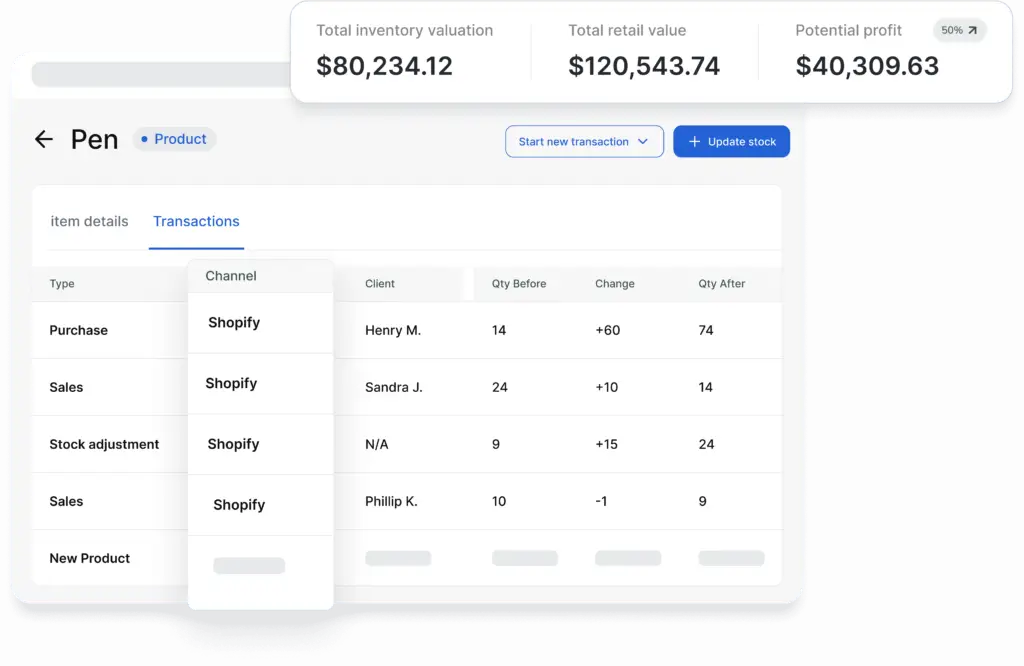
Connect stock records with sales, with support for variants and locations.
Inventory costs
Use average costing to calculate cost of goods sold and stock value.

Reconcile Shopify payouts with bank deposits.

Use Vencru’s bank reconciliation to match Shopify payouts with bank deposits. Review the sales, fees, refunds, and adjustments behind the money received.

In bookkeeping, a clearing account can track funds between a customer payment and its arrival in the bank. Payout reconciliation should match money already recorded, rather than count a deposit as a second sale.

See the whole picture

See your Shopify business
beyond the sales total.

Shopify has finance and product-profit reports. Full business accounts also need your wider costs, assets, and amounts owed. Vencru brings these records together in your financial statements.

In double-entry bookkeeping, the chart of accounts lists the accounts used to group your records. The general ledger holds the entries posted to them. Sales, stock costs, bills, and expenses feed into the reports below.

01

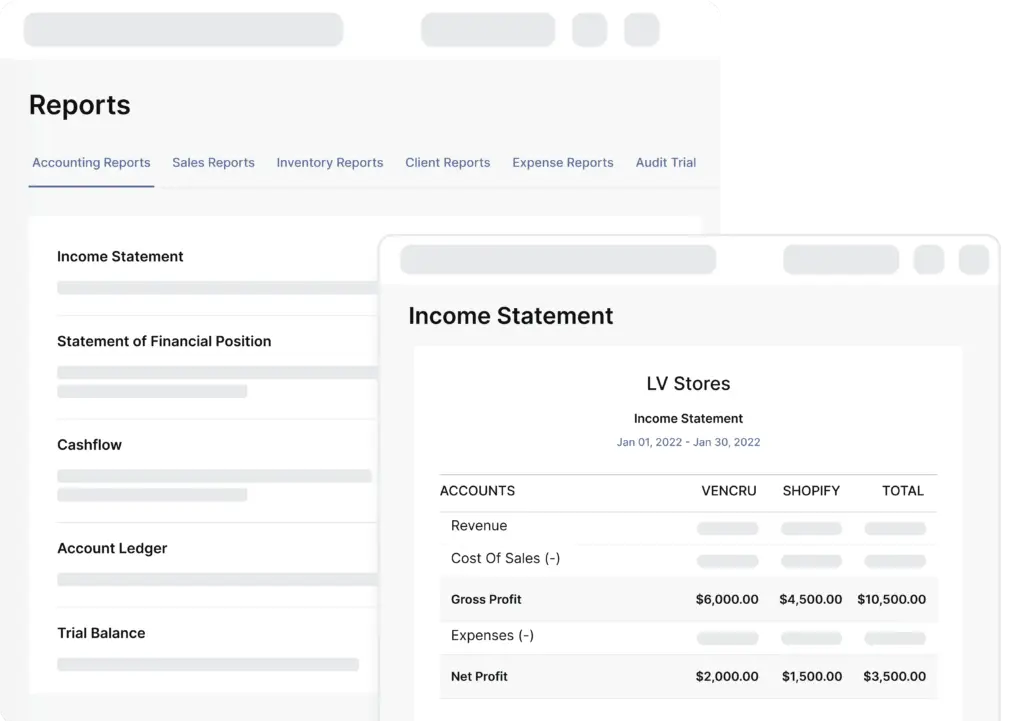
Profit and loss

Review revenue, cost of goods sold, and recorded business expenses. See what the business earned after those costs.

02

Balance sheet

Review what your business owns, what it owes, and its equity, including the stock value and balances in your books.

03

Cash flow statement

See cash moving into and out of the business. Review it alongside profit to understand where your money went.

Full accounting reports are included on Growth and Enterprise.

Vencru accounting report menu and income statement preview showing Vencru, Shopify, and total columns
Vencru accounting report and income statement preview.
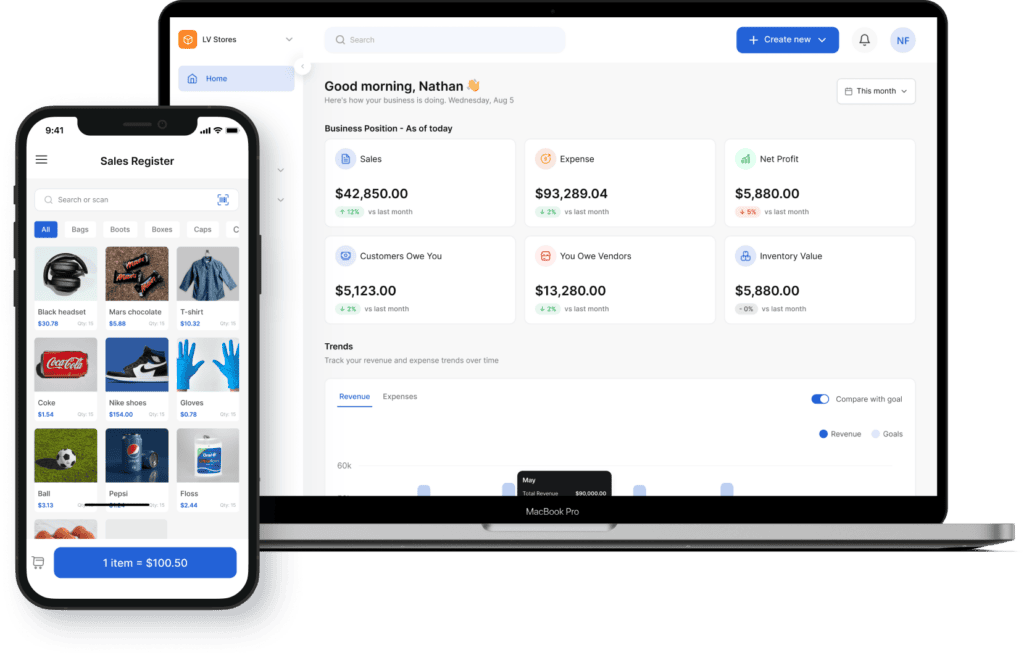
Vencru web dashboard and mobile point-of-sale app shown on laptop and phone
Vencru web and mobile app preview.
Built for how you work

Work with your accountant.
Get help with setup.

Invite your accountant or bookkeeper to review your records in Vencru. Share exported reports and check the records behind the totals together.

  • Shopify, in-person, and wholesale sales
  • Customer invoices and Vencru POS
  • Web, iOS, and Android access
One system, fewer moving parts

Choose the Shopify accounting
setup that fits your business.

Vencru is a fit to explore when you want to manage stock and books yourself in one app. Ecommerce accounting software can also connect to an existing ledger or come with a bookkeeping service. Compare the setup that fits the work you want to handle.

OptionWhere the books liveFit to consider
VencruIn Vencru's own accounting system, with inventory, expenses, and supplier toolsYou want to run stock and books yourself in one app; full accounting reports start on Growth
QuickBooks Online with its Shopify connectorIn QuickBooks OnlineYou use or prefer QuickBooks; check the plan and connector settings for your stock and sales workflow
Xero with a Shopify integrationIn XeroYou use or prefer Xero; check the integration's scope and any inventory needs
A2X with an accounting platformIn the connected accounting system, such as QuickBooks or XeroYou want Shopify payout summaries and accounting data sent into an existing ledger
Link My Books with QuickBooks Online or XeroIn the connected QuickBooks Online or Xero accountYou want a connector to bring Shopify payout data into books you already keep there
FinaloopIn a software-and-bookkeeping-service setupYou want an ecommerce accounting service as well as the software
Zoho Books, FreshBooks, or Wave with a Shopify connectionIn the accounting software you chooseYou already use one of these tools; compare the connector's order, fee, tax, and payout coverage before adding or changing it
An existing Sage or NetSuite setupIn your current accounting systemYou want to keep your current books; compare the Shopify connection, setup work, and total cost with moving to another system

Compare plan limits, connector or service fees, and the work you will still do. Connections may be provided by a third party. These options do not imply that Vencru connects to those accounting systems. Explore Vencru comparisons →

Connection sources: QuickBooks Online · Xero · A2X · Link My Books · Finaloop · Zoho Books · FreshBooks · Wave · Sage · NetSuite. Checked November 8, 2026.

Affordable stock and books

Shopify accounting plans
with room to grow.

Full accounting reports start on Growth.
Prices below are in USD for monthly billing.

Which sales allowance fits?

Each Shopify order counts as one invoice.

Growth fits 150 sales documents.For full reports and up to 200 combined per month.

Starter

For basic stock tracking and invoicing.

$6/ month

USD · billed monthly

50 invoices + POS receipts / month

  • 50 products or services
  • 1 user
  • Basic business reports
  • Inventory tracking
Start 14-day trial

Enterprise

For more sales, stock locations, and currencies.

$50/ month

USD · billed monthly

Unlimited invoices + POS receipts

  • Unlimited products or services
  • 5 users + all Growth features
  • Warehouse inventory tools
  • Multi-currency accounting
Start 14-day trial

One shared monthly allowance. For example, 120 Shopify orders + 50 other invoices + 30 POS receipts use Growth’s 200-document allowance. Choose Enterprise for warehouse or multi-currency tools. Check products and users as well as sales volume.

Compare all plan details
A clear way to start

Try your own store records.

Start a 14-day trial. Check the workflow before you choose a plan.

STEP 01

Add Vencru and connect Shopify.

Start in the Shopify App Store. Import up to 60 days of past orders. Contact Vencru if you need an older period.

STEP 02

Check costs and opening records.

Review imported sales, fees, refunds, and payouts. Check product costs and opening balances. Add supplier bills and business costs outside Shopify.

STEP 03

Review your first reports.

Match payouts to bank deposits and check the figures with your source records. Include any missing records for the period you want to review.

Before you connect

Questions about
Shopify accounting?

Clear answers about payouts, tax records, reports, imports, and plans.

Talk through your setup

Integration and payouts

How does Shopify integrate with accounting software?

A Shopify connector sends store records to an accounting system. What it sends depends on the app and its settings. Vencru syncs sales, fees, refunds, and payouts into its own double-entry books, with stock and COGS connected. Add Vencru from the Shopify App Store, connect your account, then check imported records, product costs, and opening balances. The standard import covers up to 60 days of past orders.

Does Vencru sync Shopify fees, refunds, and payouts?

Yes. Vencru syncs Shopify sales, fees, refunds, and payouts into your accounting records. You can then reconcile payouts with bank deposits and review the results alongside stock costs and other business expenses.

Why can Shopify sales and bank payouts be different?

Sales record what customers bought. A payout is the amount transferred to you after the adjustments included in that payout. Fees, refunds, and timing can make the totals differ. Vencru syncs these records and provides bank reconciliation to help you match payouts with deposits.

How do I reconcile payments into the bank from Shopify and other payment gateways?

Match each deposit to the payout that sent it. Check the sales, fees, refunds, and other adjustments behind that payout. Vencru supports matching Shopify payouts with bank deposits. If you use Shopify Payments, PayPal, Stripe, or other payment gateways, check where each provider settles funds and which records your connection brings in. Payout paths can vary by provider, country, and setup. Match money already in your books instead of recording the deposit as a new sale.

How can I track sales tax in Shopify using accounting software?

Use the tax details on Shopify orders and refunds to check the amounts in your books. Keep sales tax collected for a tax authority separate from sales revenue. Review any tax withheld or paid by a marketplace as well, so you do not count it twice. Tax tracking, registration, filing, and remittance are separate tasks; check each task when you compare software.

Are bank feeds the same as bank reconciliation?

No. Bank feeds bring transactions from a bank into accounting software. Bank reconciliation checks those transactions against your books. Vencru supports matching Shopify payouts with bank deposits. When comparing software, check bank-feed support for your bank and country as a separate feature.

Is Vencru an accounting system or a connector?

Vencru is an accounting system with a Shopify connection. Your financial reports are produced in Vencru. An app that only connects Shopify to another ledger needs that separate accounting system to hold the books.

Reports and bookkeeping

What is Shopify accounting software?

Shopify accounting software connects store activity with business records and financial reports. A full accounting system also handles expenses, assets, liabilities, and equity. Vencru includes its own double-entry books, with inventory and supplier tools alongside them.

Does Shopify have built-in accounting?

Shopify provides finance, tax, payment, and profit reports. Full double-entry accounting is handled through connected accounting software. Vencru adds an accounting system with inventory, business expenses, supplier records, and financial statements.

Do I need QuickBooks or Xero to use Vencru?

No. Vencru has its own double-entry accounting system. Growth and Enterprise include financial reports. Check that Vencru supports the tasks you and your accountant need before moving your books.

Can I get a profit and loss report for my Shopify business?

Yes. Use Vencru's P&L to review revenue, COGS, and recorded business expenses. Include costs outside Shopify, such as ads and rent, so those costs are reflected too.

How do I track expenses and sales on Shopify?

Connect Shopify to Vencru to sync sales, fees, refunds, and payouts. Record costs outside Shopify in Vencru too, such as ads, rent, packaging, and software. Keep receipts with expense records and record supplier bills through the purchase workflow. Review revenue, cost of goods sold, and recorded expenses in your P&L to see profit after those costs.

Can I manage stock and suppliers as well as accounting?

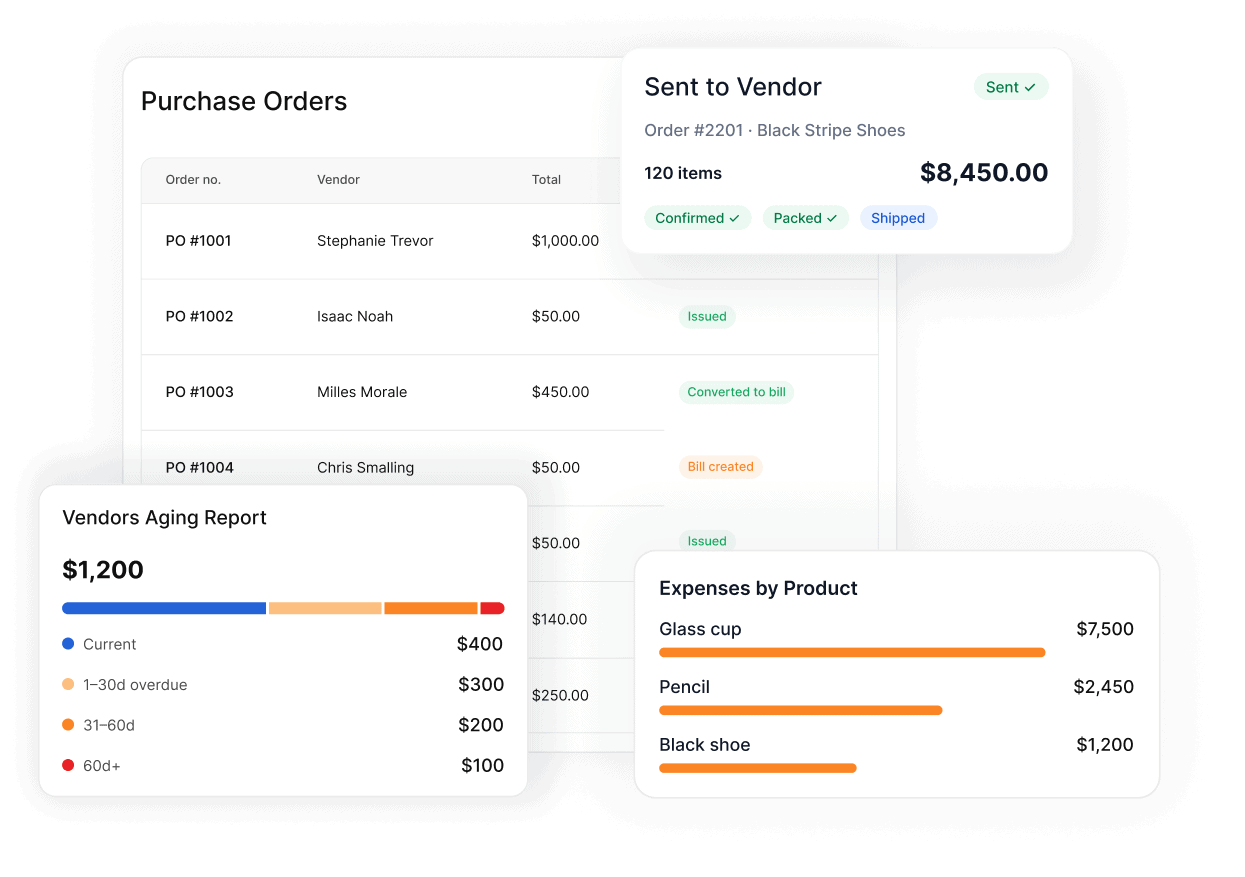
Yes. Vencru includes inventory tracking, purchase orders, vendor bills, and supplier balances. Warehouse inventory management is available on Enterprise.

Does double-entry accounting mean my reports meet GAAP?

Double-entry accounting is a way to record transactions. Generally accepted accounting principles (GAAP) set rules for financial reporting. Using double-entry software alone does not establish that your financial statements meet GAAP. The records, accounting choices, adjustments, and disclosures also matter.

Can my accountant review my books?

Yes. Invite your accountant or bookkeeper to review your records and share exported reports with them. Choose a plan that fits your team and reporting needs.

Setup and plans

How many past Shopify orders can I import?

You can import up to 60 days of past orders when you connect. If you need an older period, contact Vencru about importing more history.

How do Shopify orders count toward my plan?

Each Shopify order counts as one invoice. It uses the same monthly allowance as your other invoices and POS receipts. Starter includes 50 combined per month, Growth includes 200, and Enterprise has no monthly invoice/POS receipt cap.

Which plan includes accounting reports?

Growth at $30/month and Enterprise at $50/month include double-entry accounting reports. Starter at $6/month includes basic business reports. Prices are in USD for monthly billing. See the pricing page for usage limits and other billing terms.

Is there a free trial?

Yes. Vencru offers a 14-day trial so you can connect your Shopify store and try the workflow before choosing a paid plan.

Does connecting Shopify give me complete year-end books?

Your reports depend on the records available for that year. The standard import covers up to 60 days of past Shopify orders; contact Vencru for older imports. Include opening balances, product costs, supplier bills, operating expenses, and payment records for the full reporting period.

Can I use Vencru for online and in-person sales?

Yes. Connect Shopify sales and use Vencru's invoicing and POS tools to record other sales. Keep stock, purchases, and books in one system.

Can I move from spreadsheets or another accounting tool?

You can import your product list from a spreadsheet and connect Shopify for order history. Bring opening balances and other records for the period you need. Talk to Vencru about your setup; a Shopify import alone does not replace a full review of your past books.

How do I access Vencru?

Start with the Vencru app in the Shopify App Store to connect your store. Vencru also has a web app and iOS and Android apps for managing your business records.

Know what you sold.
See what you earned.

Keep Shopify sales, stock costs, business expenses, and full accounting reports in one app.

Full accounting reports from US$30/month · 14-day trial

Not on Shopify? Start on the web app →

Shopify sales. Full books.Reports from $30/month · 14-day trial
Try Vencru