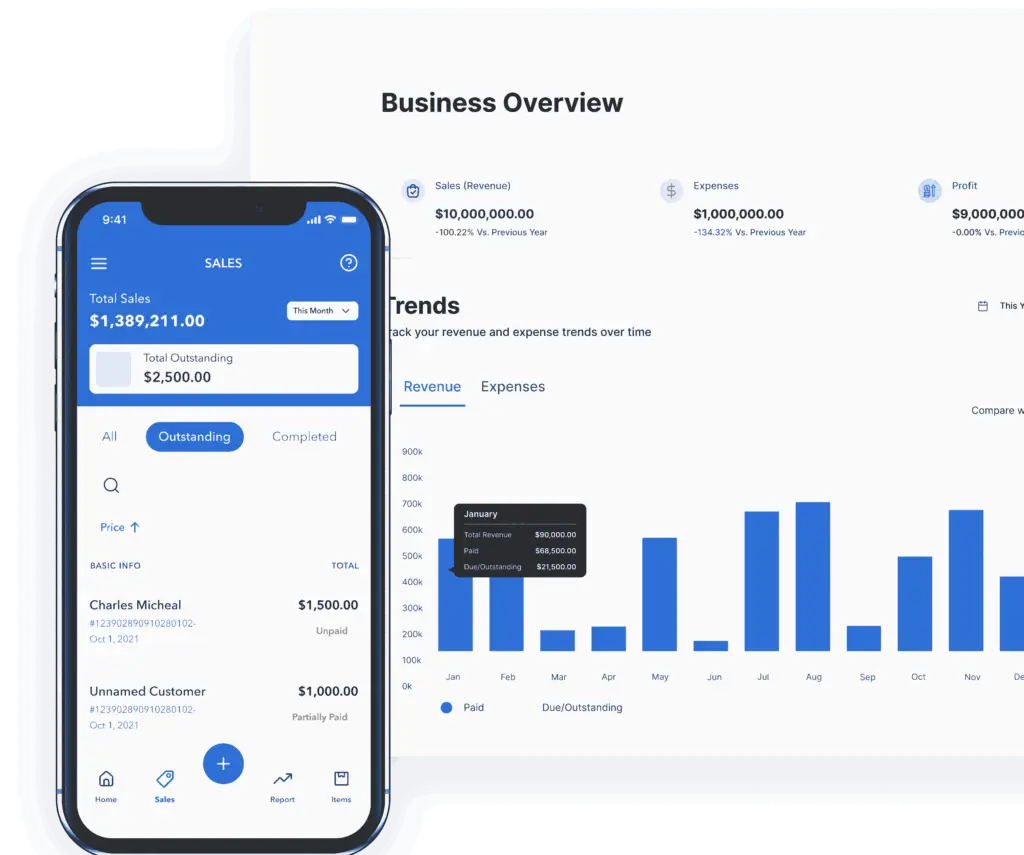
Create and manage credit notes without the accounting headache
Handle returns, billing changes, overpayments, and customer credits in one place. Vencru makes it easy to create credit notes for customers, link them to invoices, apply available credit to one or more invoices, and track every remaining balance. Keep your invoices, customer balances, and books up to date automatically.
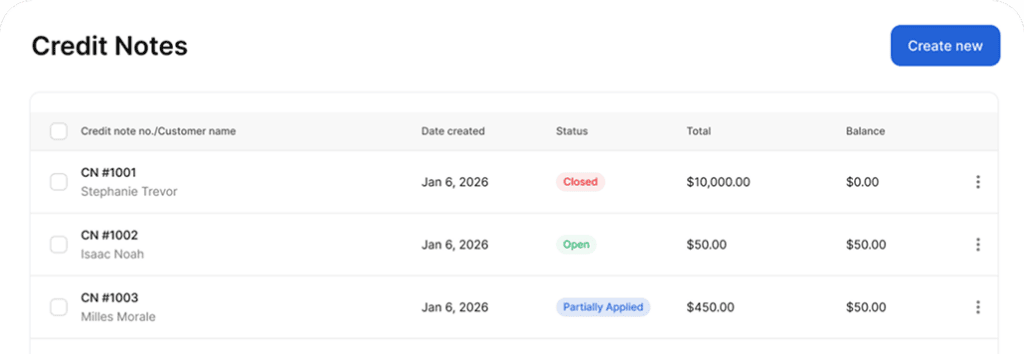
How Vencru Credit Notes Software Works
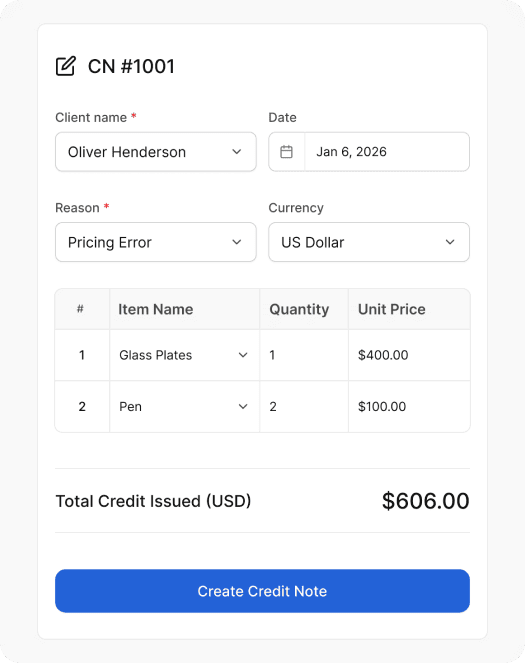
Create a credit note in different currencies
Create a credit note for a customer when they have available credit from a return, overpayment, invoice correction, service cancellation, discount, or adjustment. Add the customer, credit amount, reason, and any details your team needs for accurate record-keeping.
Apply the credit note to an unpaid invoice
Use available customer credit to reduce the balance on an unpaid invoice. This helps you settle invoice balances faster while keeping a clear record of how the credit was used.
Track how each credit note is used
Vencru helps you track the usage history of each credit note. You can see which invoice the credit note was applied to, how much was used, and how much credit remains. This makes it easier to answer customer questions, review past adjustments, and keep your accounting records accurate.
Why use credit notes in your business?
Credit notes give your business a simple way to manage invoice corrections, returns, overpayments, and customer credits while keeping your original records accurate and easy to track.
Correct issued invoices
Fix invoice mistakes without deleting or rewriting the original invoice.
Handle overpayments
Keep track of extra payments and make sure customers have a clear credit balance.
Manage returns and cancellations
Record customer credit when a product is returned or a service is cancelled.
Track and apply customer credit
Apply available credit to unpaid invoices and see what has been used or remains.
Key features of Credit Notes & Sales Return Software
Create credit notes for customers
Easily create a credit note when a customer has unused credit, an overpayment, a return, or an invoice adjustment.
This gives your business a proper record of customer credit instead of relying on manual notes, spreadsheets, or informal communication.
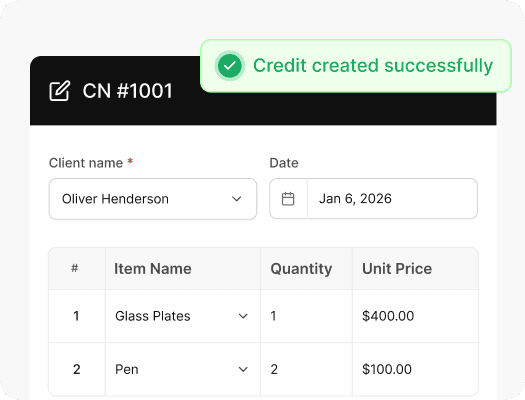
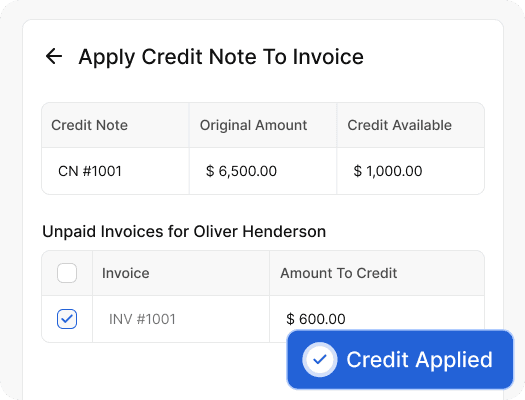
Apply credit notes to unpaid invoices
Apply a credit note directly to an unpaid invoice to reduce the amount your customer needs to pay.
Instead of editing the original invoice or creating a workaround, Vencru helps you apply the credit while keeping the invoice and credit note connected.
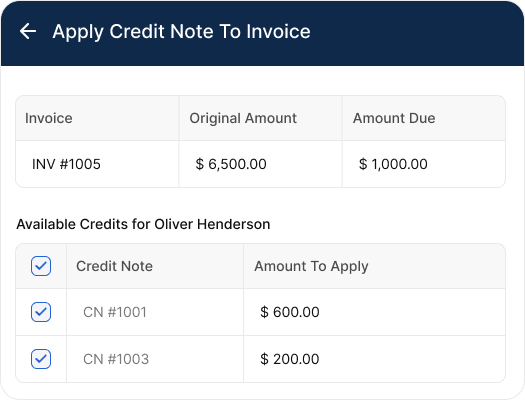
Apply multiple credit notes to one invoice
Some customers may have more than one credit note available. Vencru allows you to apply multiple credit notes to a single unpaid invoice, giving you more flexibility when settling outstanding customer balances.
This is especially useful for businesses that handle frequent returns, partial adjustments, repeat customers, or ongoing client accounts.
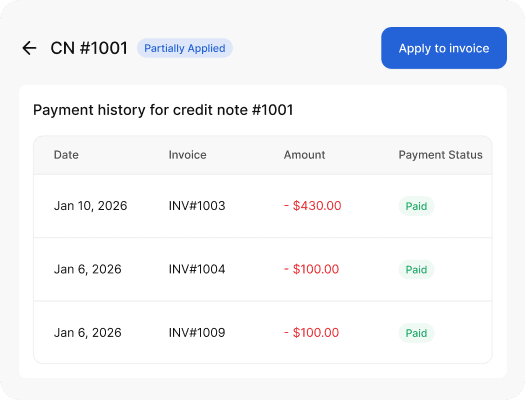
Track how each credit note is used
Vencru helps you track the usage history of each credit note. You can see which invoice the credit note was applied to, how much was used, and how much credit remains.
This makes it easier to answer customer questions, review past adjustments, and keep your accounting records accurate.
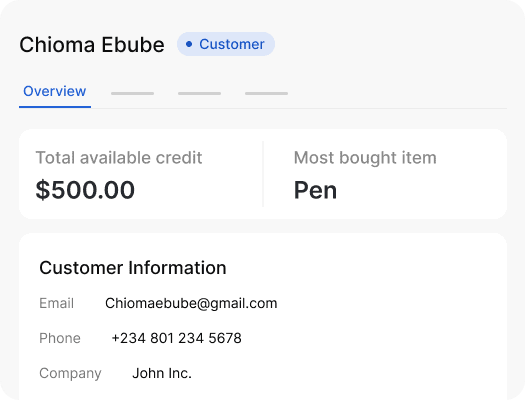
Manage customer credit balances
Credit notes help you keep customer balances accurate. When a credit is created and applied properly, your team can see what a customer owes, what credit they still have, and how that credit affects their invoice history.
This reduces confusion and gives your business a more reliable view of customer accounts.
Built for real business situations
Credit Notes are designed to handle the everyday scenarios that come up when running a business, especially when payments, invoices, and customer transactions do not always go exactly as planned.
Correct issued invoices
Fix invoice mistakes without deleting or rewriting the original invoice.
Handle overpayments
Keep track of extra payments and make sure customers have a clear credit balance.
Manage returns and cancellations
Record customer credit when a product is returned or a service is cancelled.
Track and apply customer credit
Apply available credit to unpaid invoices and see what has been used or remains.
Plans for every kind of business
Choose a plan with simple credit note software for your small business. Save two months by getting an annual plan.

Starter
For solo business owners with light inventory.
$6/mth
Billed monthly.
- 1 user per account
- 50 invoices and/or receipts
- Track 50 products or services
- Record 200 clients transactions
- Double-entry acccounting reports
- Shopify Integration
- Basic chat and email support
Growth
For businesses with small teams and need inventory.
$30/mth
Billed monthly.
- 3 users per account
- 200 invoices and/or receipts
- Track 500 products or services
- Manage unlimited clients records
- Double-entry accounting reports
- Purchase Orders and Vendor Bills
- Quotes and Estimates
- Order Management (Shipping tracker)
- Audit log and data history
- Priority chat and email support
Enterprise
For large teams with inventory, multi-locations, vendor management, and multi-currency needs
$50/mth
Billed monthly.
- 5 users per account
- Unlimited invoices and/or receipts
- Track unlimited products or services
- Manage unlimited clients records
- Double-entry accounting reports
- Warehouse inventory management
- Purchase Orders and Vendor Bills
- Quotes and Estimates
- Credit Notes and Returns
- Order Management (Shipping tracker)
- Audit log and data history
- Multi-currency invoicing & accounting
- Removed branding from PDFs
Starter
For solo business owners with light inventory.
$5/mth
Billed quarterly.
- 1 user per account
- 50 invoices and/or receipts
- Track 50 products or services
- Record 200 clients transactions
- Double-entry acccounting reports
- Basic chat and email support
Growth
For businesses with small teams and need inventory.
$25/mth
Billed quarterly.
- 3 users per account
- 200 invoices and/or receipts
- Track 500 products or services
- Manage unlimited clients records
- Double-entry accounting reports
- Purchase Orders and Vendor Bills
- Quotes and Estimates
- Order Management (Shipping tracker)
- Audit log and data history
- Priority chat and email support
Enterprise
For large teams with inventory, vendor management, and multicurrency needs
$45/mth
Billed quarterly.
- 5 users per account
- Unlimited invoices and/or receipts
- Track unlimited products or services
- Manage unlimited clients records
- Double-entry accounting reports
- Warehouse inventory management
- Purchase Orders and Vendor Bills
- Quotes and Estimates
- Credit Notes and Sales Returns
- Order Management (Shipping tracker)
- Audit log and data history
- Multi-currency invoicing & accounting
- Removed branding from PDFs
Starter
For solo business owners with light inventory.
$5/mth
Billed annually.
- 1 user per account
- 100 invoices and/or receipts
- Track 50 products or services
- Record 200 clients transactions
- Double-entry acccounting reports
- Basic chat and email support
Growth
For businesses with small teams and need inventory.
$25/mth
Billed annually.
- 3 users per account
- 200 invoices and/or receipts
- Track 500 products or services
- Manage unlimited clients records
- Double-entry accounting reports
- Purchase Orders and Vendor Bills
- Quotes and Estimates
- Order Management (Shipping tracker)
- Audit log and data history
- Priority chat and email support
Enterprise
For large teams with inventory, vendor management, and multicurrency needs
$45/mth
Billed annually.
- 5 users per account
- Unlimited invoices and/or receipts
- Track unlimited products or services
- Manage unlimited clients records
- Double-entry accounting reports
- Warehouse inventory management
- Purchase Orders and Vendor Bills
- Quotes and Estimates
- Credit Notes and Returns
- Order Management (Shipping tracker)
- Audit log and data history
- Multi-currency invoicing & accounting
- Removed branding from PDFs
FAQs about Credit Notes and Sales Returns Management
What is a credit note?
A credit note is a document used to record credit owed to a customer.
Businesses commonly use credit notes for invoice corrections, product returns, overpayments, service cancellations, discounts, or adjustments.
What is credit note software?
Credit note software helps businesses create, issue, apply, and track customer credit notes. Instead of managing credits manually in spreadsheets, Vencru keeps credit notes connected to customers, invoices, balances, and accounting records.
Can I create credit notes in Vencru?
Yes. Vencru allows you to create credit notes for customers and manage them inside your business account. You can create a standalone credit note for a customer without linking it to an existing invoice. This is useful when you need to give a customer account credit that is not tied to one specific invoice.
What happens to unused credit note balances?
Any unused amount remains available as customer credit. Vencru tracks the original credit amount, how much has been applied, and the remaining balance, so you can see how much credit a customer still has available.
How does a credit note affect accounting?
A credit note reduces the amount owed by a customer and can affect accounts receivable, revenue, taxes, and other accounting records depending on the transaction.
Vencru automatically records the accounting impact of credit note transactions, helping keep your customer balances and accounting ledger in sync.
What is the difference between a credit note and a refund?
A credit note records an amount credited to a customer and may be used to reduce an outstanding or future invoice. A refund involves returning money to the customer. Depending on the transaction, a business may issue a credit note before processing a refund.
Want a deeper explanation? [Read our complete guide to credit notes →]
Is there a free way to create a credit note?
Yes. Vencru offers a free online Credit Note Generator for businesses that need to create a credit note without using accounting software.
[Create a free credit note →]
If you regularly issue credit notes, Vencru can also help you track customer credits, apply them to invoices, and automatically update your accounting records. See all the features Vencru offers.
Start using Credit Notes today
Create credit notes, apply them to unpaid invoices, and track customer credits directly in Vencru. Simple credit note software for small businesses.