
Built for wholesalers and retailers

Warehouse inventory management software for small businesses

Know what is in stock and where it is held. Vencru helps you track stock across warehouses and stores, manage transfers, and keep purchases, sales, and books in one place.

No credit card required. Warehouse tools are included in Enterprise at $50/month, billed monthly in USD. Applicable taxes are extra.

Stock by location Warehouse transfers Purchases, sales & books
Warehouse inventory

Multi-warehouse inventory tracking

Manage inventory across warehouses and stores

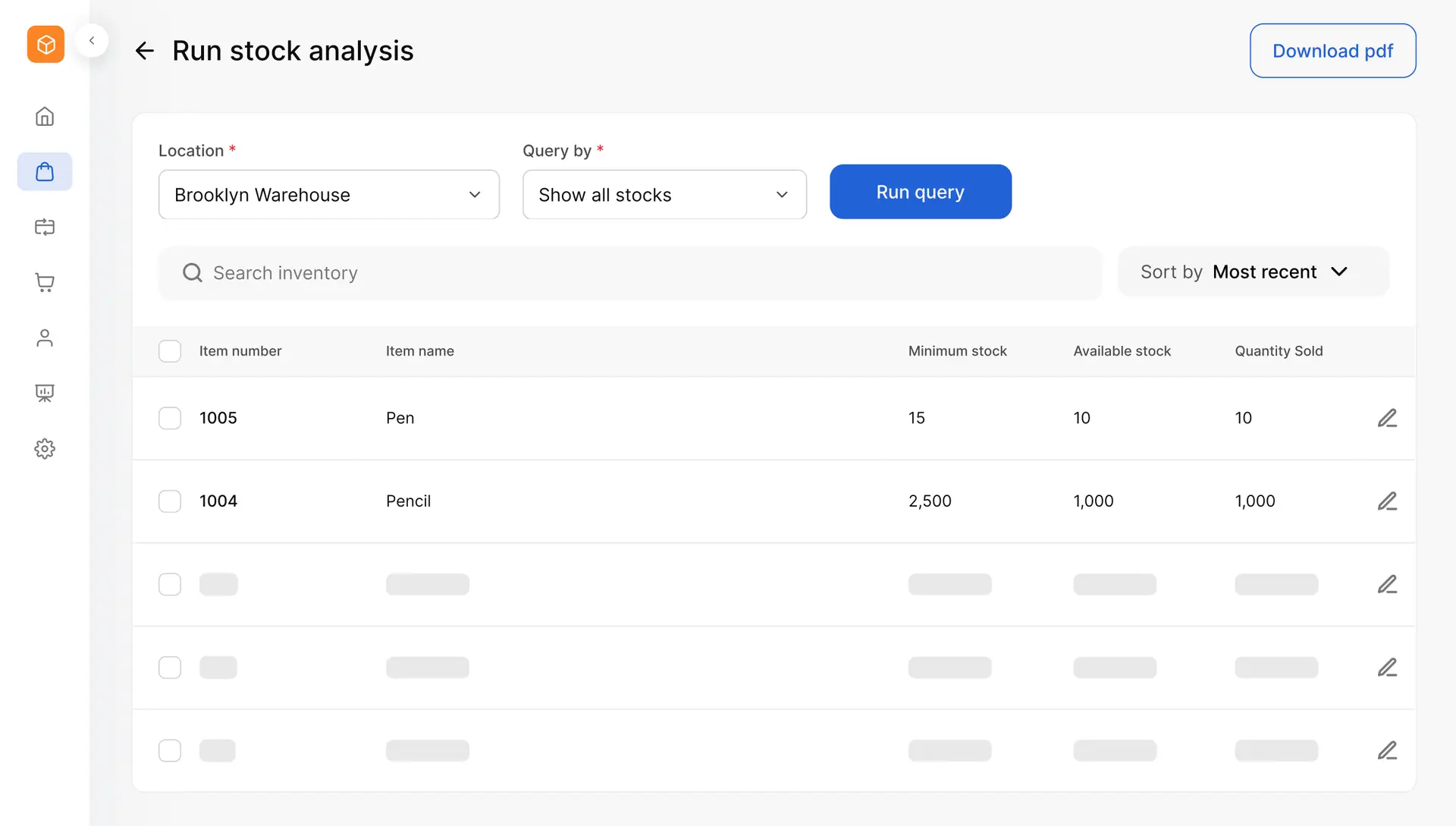
One stock total does not tell you where to find the goods. See quantities at each location so you can check stock before a sale, plan a transfer, or decide what to buy next.

Check stock levels by warehouse location

Open a product to see how its stock is spread across your locations. Keep warehouse and store quantities in one system, so your team has one place to check.

  • Track the same product across several locations.
  • Check quantities before you commit to a customer order.
  • Use stock levels to help plan purchases and transfers.

Track stock movements as goods come and go

Review the purchases, sales, and transfers behind changes in stock. When a count needs a closer look, check the records rather than piece together separate stock sheets.

  • Follow stock coming in and going out.
  • Review transfers between your locations.
  • Keep stock records with the transactions behind them.
Warehouse stock transfers

Track warehouse stock transfers from one location to another

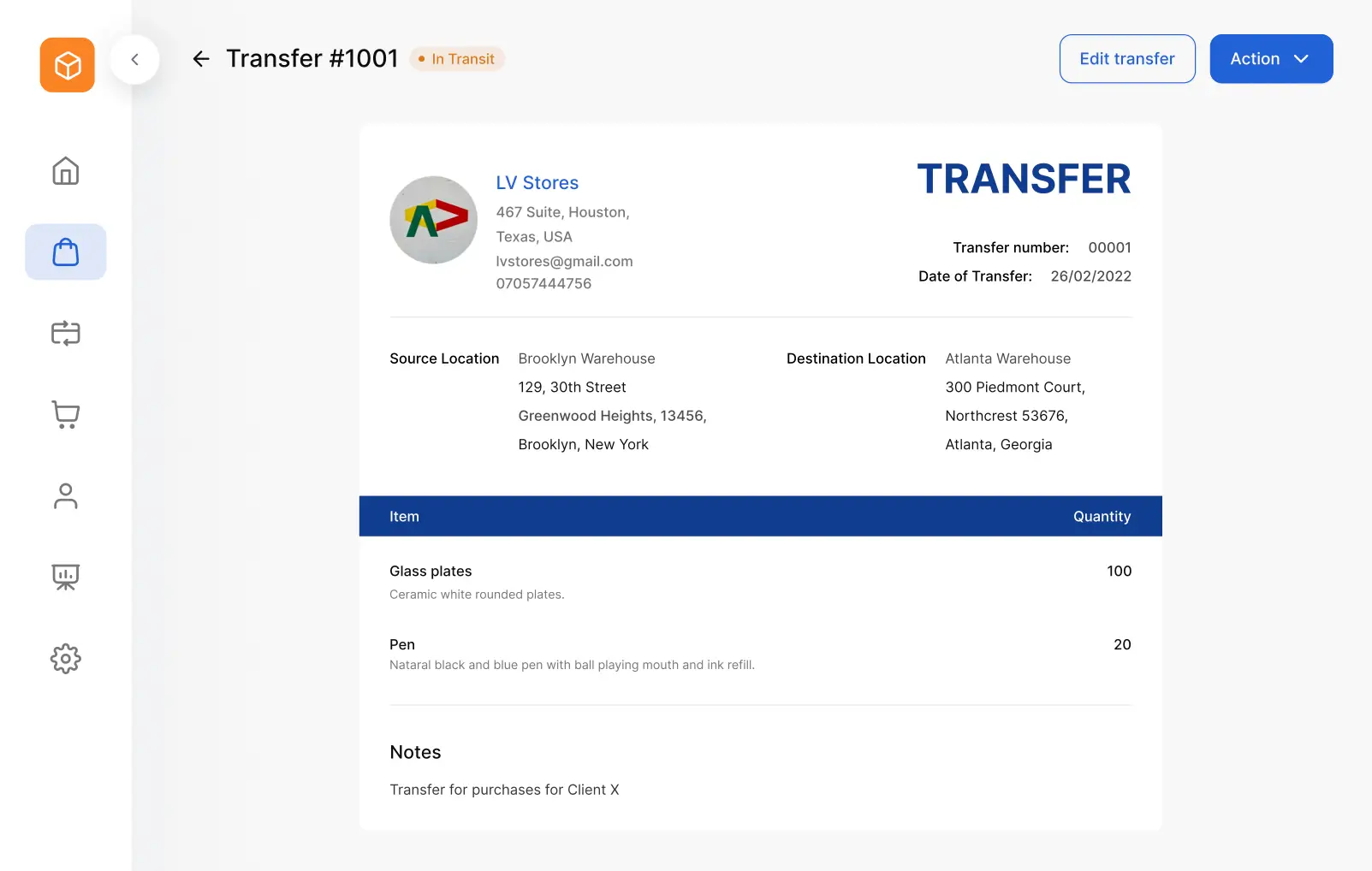
Move goods between warehouses or from your stockroom to a store. Keep the items, quantities, and destination on a transfer record so both teams can check what is being moved.

Give each stock transfer a clear record

Choose the source and destination, add the products and quantities, and include transfer instructions. Print a packing slip to help the team check the goods at the receiving location.

Check the status of goods moving between sites

See which transfers are in transit, transferred, or cancelled. Keep a record of each move so you can review its details when a store or warehouse has a stock question.
Track warehouse stock transfers from one location to another
Purchases and receiving

Keep warehouse purchases, stock, and sales connected

Stock control starts with what you buy and continues through what you sell. Keep supplier orders, vendor bills, and customer sales in the same system as your inventory.

Keep planned purchases separate from stock received

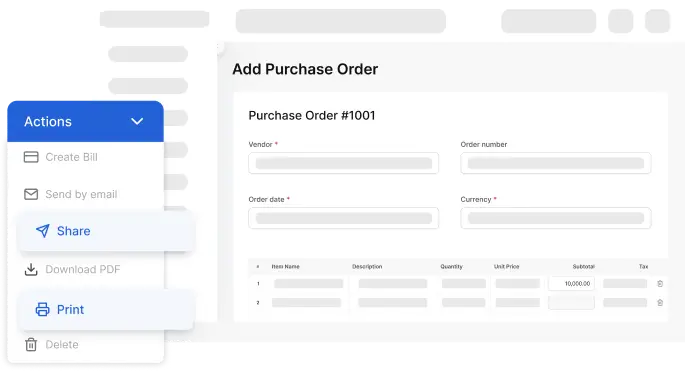
Create a purchase order to tell a supplier what you need. A PO does not increase stock on hand. When goods arrive, check them against the order and record the received stock through the vendor bill step.

Keep what you plan to buy separate from the goods you have received, with purchase costs and supplier balances in the same app.
Keep warehouse purchases, stock, and sales connected

Keep sales tied to the right warehouse

Check stock at each location before you record a sale. Keep the warehouse linked to the sale so stock records reflect where the goods came from. Use customer invoices and sales receipts alongside your warehouse inventory. Your team can check stock and manage customer billing without switching to a separate stock sheet.

Counts and barcodes

Count warehouse stock and review differences

Physical counts help you check that your records match the goods on hand. Count stock at each location, compare the result with your records, and review gaps before making an adjustment.

Check counts before changing stock records

Look into missing, damaged, or miscounted items. Record the needed stock adjustment so your next sale or purchase starts from a checked quantity.

Use barcode scanning for product lookup and sales

Scan product barcodes to find items and add them to invoices. Vencru supports connected scanners on the web and camera scanning in its mobile app, helping you spend less time typing product details.

Explore barcode scanning
Accounting built in

Connect warehouse inventory to stock value and COGS

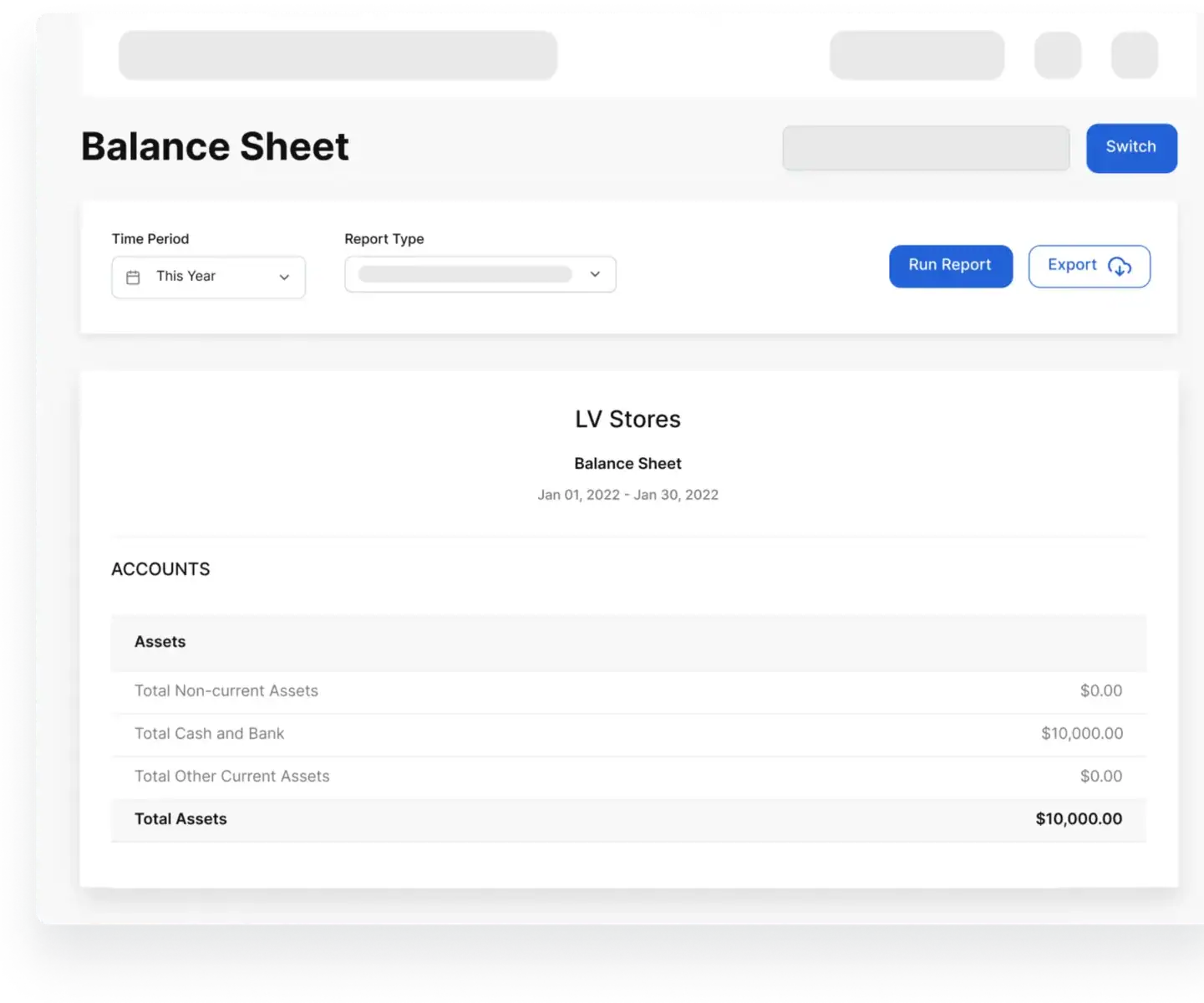
Know more than how many units are on hand. See the value held in stock and the cost of goods sold, alongside your sales and financial reports.

See the value of stock on hand

Use inventory valuation reports to review the money held in unsold products. Check stock value as you plan purchases and review how much cash is tied up in inventory.

Keep product costs connected to sales

Vencru calculates cost of goods sold from your recorded inventory costs and sales. Review COGS with revenue to understand gross profit, while vendor bills help you track what you owe suppliers.
Connect warehouse inventory to stock value and COGS

Built around your business

Warehouse inventory software for small wholesale and retail teams

For wholesalers and distributors

Check stock across your main warehouse and other sites before taking a bulk order. Keep supplier purchases, warehouse transfers, customer invoices, and unpaid balances in one place.

For retailers with stores and stockrooms

See what is held at the store and what is still in the warehouse. Check both before buying more, and use transfer records when moving goods to the shop.

Getting started

Start with the stock you need to track

Bring in your product list

Import your inventory from a spreadsheet. Check product details and opening quantities as you set up your records.

Set up your locations

Add the warehouses and stores you need to track. Check your stock records against a physical count before your team starts using them.

Try a warehouse task

Book a demo to walk through stock by location, a transfer, and the records behind it. Use your own questions to check how Vencru fits the way your team works.

Book a warehouse demo

A clear plan for warehouse stock

Warehouse inventory management from $50/month

Warehouse tools are included in Vencru Enterprise. It brings stock across locations together with supplier purchases, customer sales, and double-entry accounting reports.

ENTERPRISE

$50 USD / month

Billed monthly. Applicable taxes are extra. Enterprise is the plan name — a small business can choose it when it needs warehouse tools.

  • Five users included.
  • Unlimited products or services.
  • Unlimited customer invoices and POS receipts.
  • Purchase orders and vendor bills.
  • Warehouse inventory management.
  • Double-entry accounting reports.

Try Vencru with your own stock

Start a 14-day trial with no credit card required, or compare plan details.

Start 14-day trial Compare plan details →

Before you choose

Questions about warehouse inventory management software

Check how Vencru fits the way your team tracks and moves stock.

Talk through your warehouse needs

What is warehouse inventory management software?

Warehouse inventory management software helps you track products held in a warehouse. It records quantities and stock changes, such as purchases, sales, transfers, and adjustments. With stock tracked by location, you can check where goods are held before you sell, move, or reorder them.

Can Vencru track inventory across multiple warehouses and stores?

Yes. Vencru lets you track product quantities across multiple locations and record stock transfers between them. You can check how much of an item is held at each warehouse or store rather than rely on a single business-wide total.

How do warehouse stock transfers work in Vencru?

Create a transfer with the source, destination, products, and quantities. Add instructions and print a packing slip for the receiving team. Vencru lets you track transfer statuses, including in transit, transferred, and cancelled, so you can review the record for each move.

Does creating a purchase order increase warehouse stock?

No. A purchase order records what you plan to buy. It does not add stock on hand. Check the goods when they arrive, then record received stock through the vendor bill step. This keeps planned purchases separate from received inventory.

Can I use a barcode scanner with Vencru?

Yes. Vencru supports connected barcode scanners on the web and camera scanning in its mobile app. You can use scanning to find products and add items to invoices. Check your device and the tasks you need during a demo or trial.

Does Vencru include accounting with warehouse inventory?

Yes. The Enterprise plan includes warehouse inventory management and double-entry accounting reports. You can keep stock, purchases, vendor bills, customer sales, and financial records in the same app. Inventory valuation and COGS help you review stock costs alongside sales.

How much does Vencru warehouse inventory software cost?

Warehouse inventory management is included in Enterprise at $50/month, billed monthly in USD. The plan includes five users, unlimited products or services, and unlimited customer invoices and POS receipts. Applicable taxes are extra. See the pricing page for current billing options.

Can I import my current inventory from a spreadsheet?

Yes. Vencru supports inventory imports. Bring in your product list, then check the imported details and quantities before you start recording new activity. If you hold stock at several sites, use a setup call to check the steps for your opening quantities at each location.

What is the difference between warehouse inventory software and a WMS?

Warehouse inventory software focuses on stock quantities, locations, and movements. A broader warehouse management system may also direct putaway, picking, packing, and other warehouse work. Compare the specific tasks you need: a WMS label alone does not tell you which tools a product includes.

Can I try Vencru before I pay?

Yes. Vencru offers a 14-day trial with no credit card required. You can also book a warehouse demo to review stock by location and transfers with the team. Check the tools you need before you choose a paid plan.

Know what is in stock at each warehouse

Bring warehouse stock, transfers, purchases, sales, and books into one place. See how Vencru fits the stock tasks your team handles each day.

Start 14-day trial Book a warehouse demo

No credit card required. Warehouse tools are included in Enterprise.