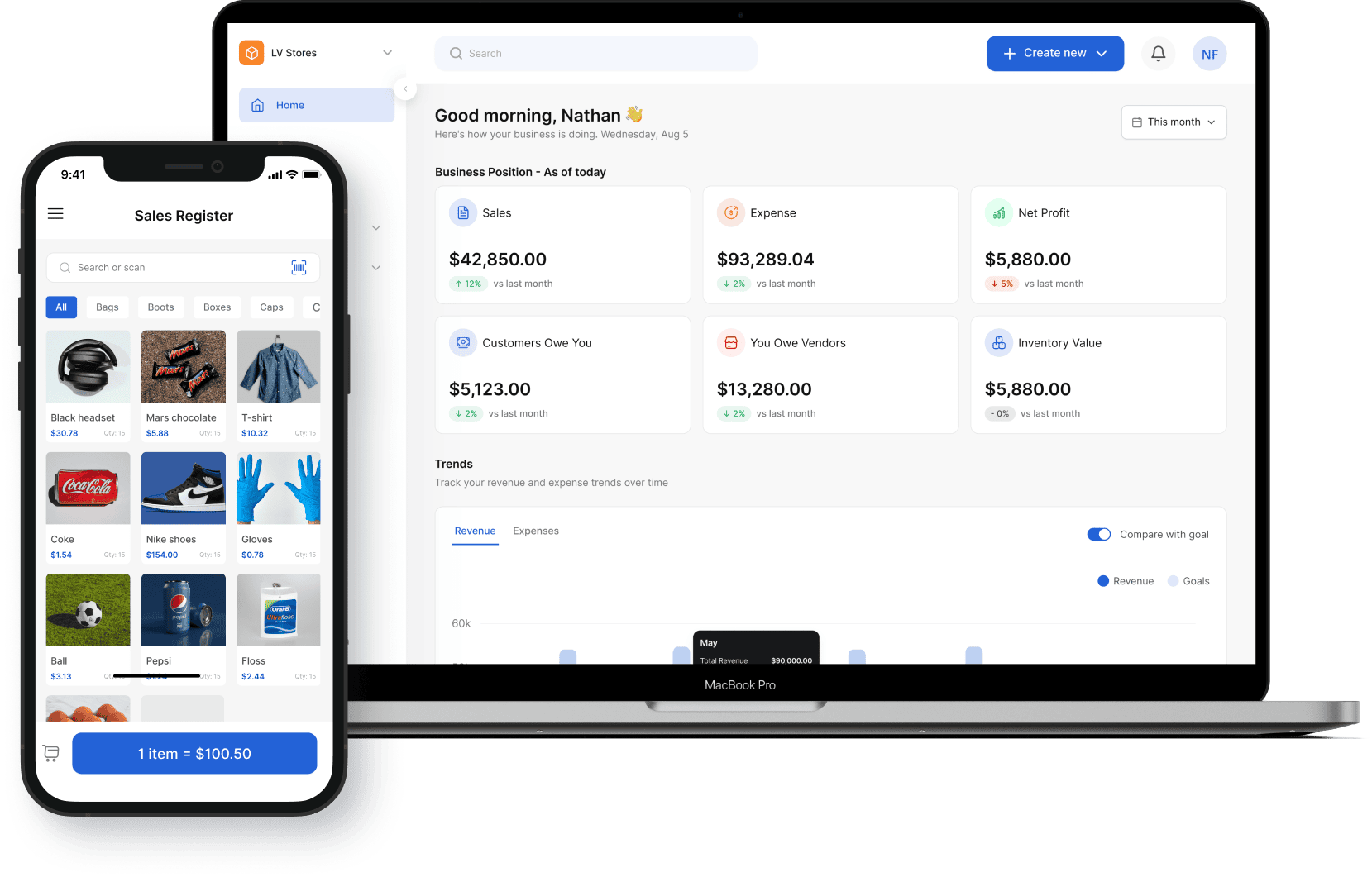
Built for wholesalers and retailers

Inventory and accounting software for small business

See what’s in stock, what it cost, and what you earn from each sale. Vencru connects inventory, invoices, purchases, expenses, and books in one system, so your small business spends less time working across separate tools.

Start your 14-day trial

No credit card required

Inventory and accounting software

How it works together

How inventory and accounting stay in step

Create the invoice, record the sale, and track the payment in one system. Keep customer billing and product quantities in step without updating a separate stock sheet after each sale.

1 Stock

Keep track of stock levels from sales and purchases

Find out what is on hand, what is running low, and how much money is held in stock. Check quantities before you reorder and review stock value as you plan what to buy next.

  • View stock levels and set reorder points by product and location, so you get low-stock alerts before you run out.
  • Follow stock movement from purchases and sales.
  • Use inventory valuation reports to review stock value.
  • Record stock counts and adjustments when quantities change.
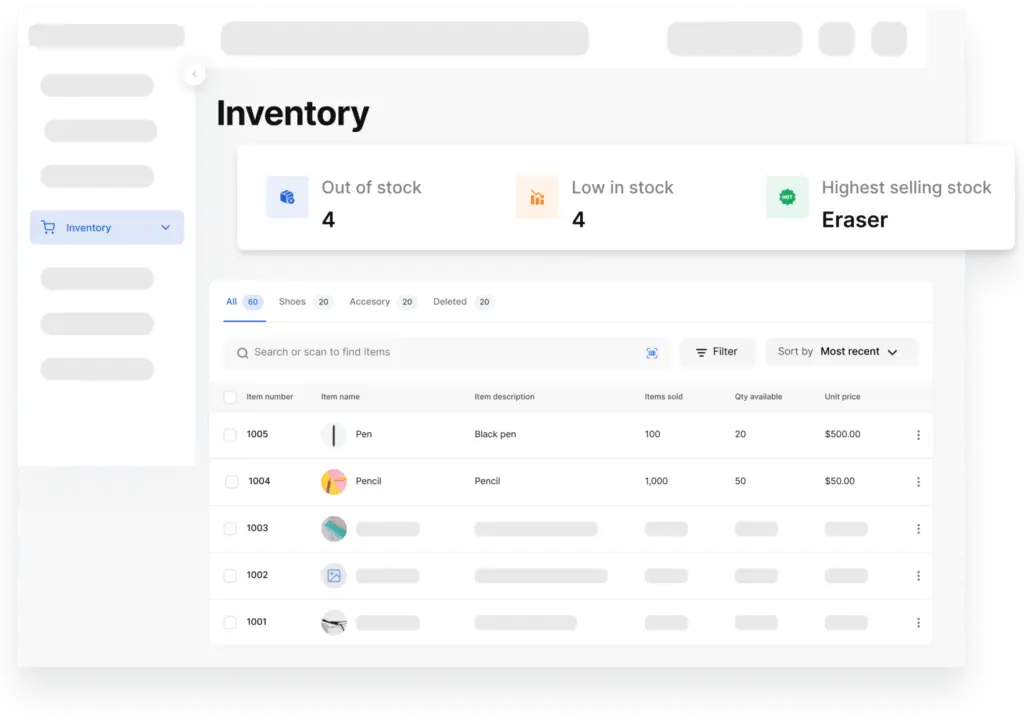
Keep track of stock levels from sales and purchases
2 Purchases with a clear trail

Manage purchase orders, stock receipts, and supplier bills

Order goods, receive stock, and pay suppliers in one simple system. Follow what you bought, what arrived, and what you owe, with purchase orders and vendor bills alongside your stock records.

  • Create and send purchase orders.
  • Record supplier bills and track balances due.
  • Add received goods through your inventory workflow.
  • Check purchase quantities and costs before your next order.
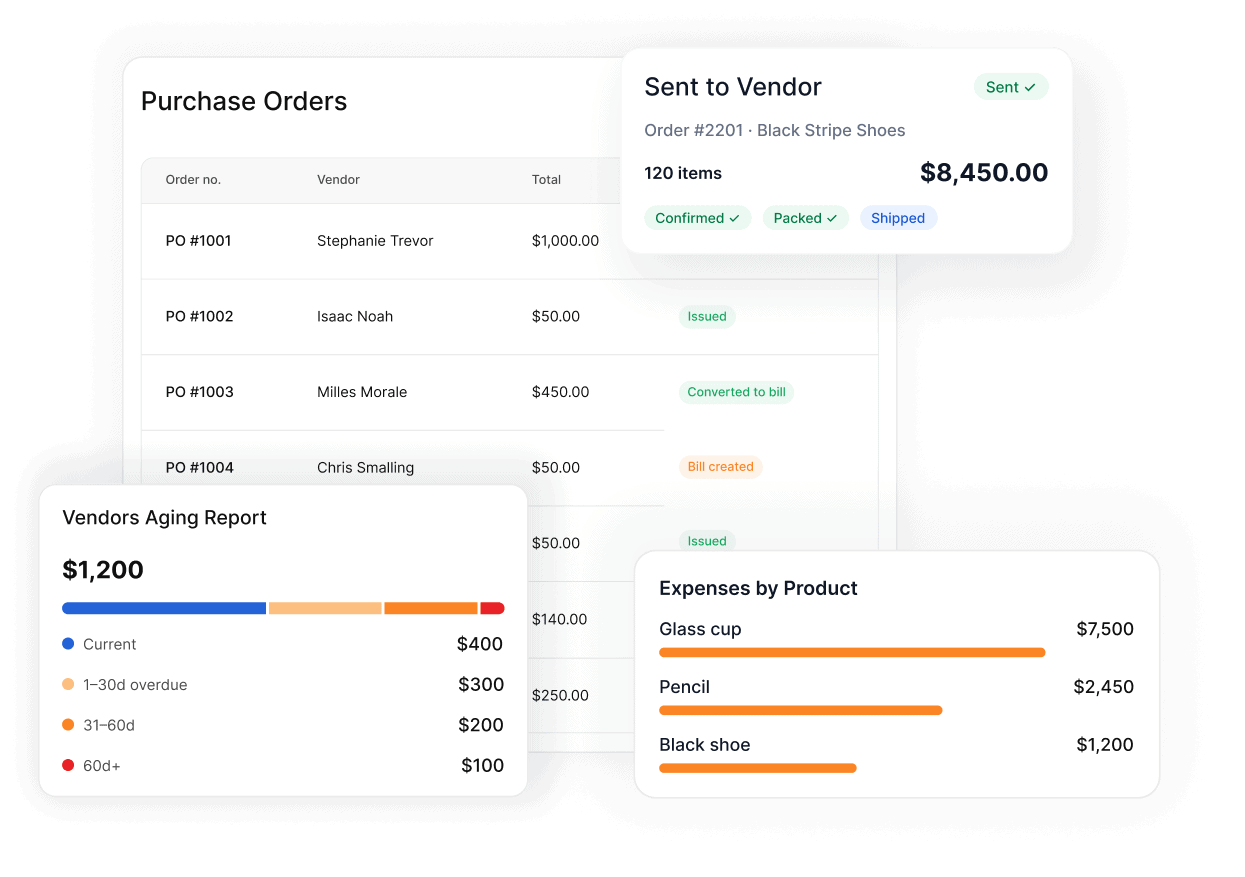
Manage purchase orders, stock receipts, and supplier bills
3 Sales without the extra stock sheet

Invoice customers and record store sales from your product list

Create invoices for wholesale orders and receipts for store sales. Choose items from your product list, record customer payments, and see which invoices still need to be paid.

  • Build invoices from your products and prices.
  • Record in-person sales with Vencru POS.
  • See paid, unpaid, and overdue invoices.
  • Follow customer balances and payment history.
Invoice customers and record store sales from your product list
4 Updated Books

See cost of goods sold and product profit

Compare what you earn from products with what they cost, so you can spot thin margins and increase profitability. Vencru uses average costing to value inventory and calculate cost of goods sold. The average unit cost is used to work out the cost of items sold and the value of stock left on hand.

  • Review cost of goods sold, also called COGS.
  • Compare product sales and margins.
  • Find best sellers and slower-moving stock.
  • Use the results to review prices and purchasing choices.
See cost of goods sold and product profit
5 Bookkeeping and Accounting built in

See stock, sales, and expenses in your reports

Beyond product costs, record expenses such as rent and supplies, and review your income and costs alongside your stock and sales. Built-in double-entry accounting records both sides of each financial entry. Your reports draw on the sales, costs, and expenses you record in Vencru.

  • Profit and Loss: Review revenue, cost of goods sold, and expenses to see how your business is performing.
  • Balance Sheets: See what your business owns, what it owes, and the owner’s share.
  • Cash flow: Review cash moving into and out of the business.
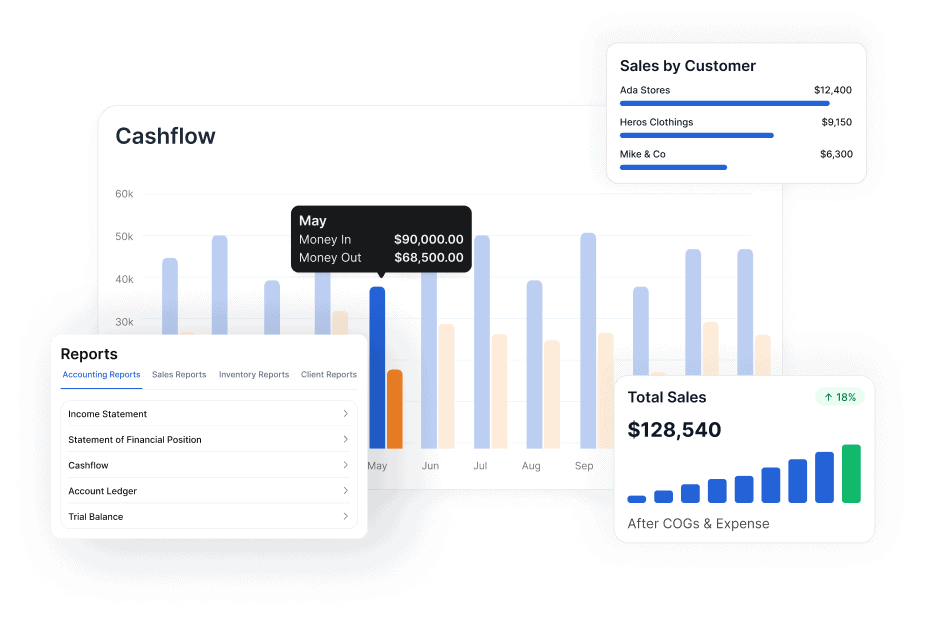
See stock, sales, and expenses in your reports
6 Ecommerce Accounting

Organize your inventory across multiple channels and devices

Store inventory information in one place. Vencru provides a central place to manage inventory and orders from Shopify, Amazon, and WooCommerce.
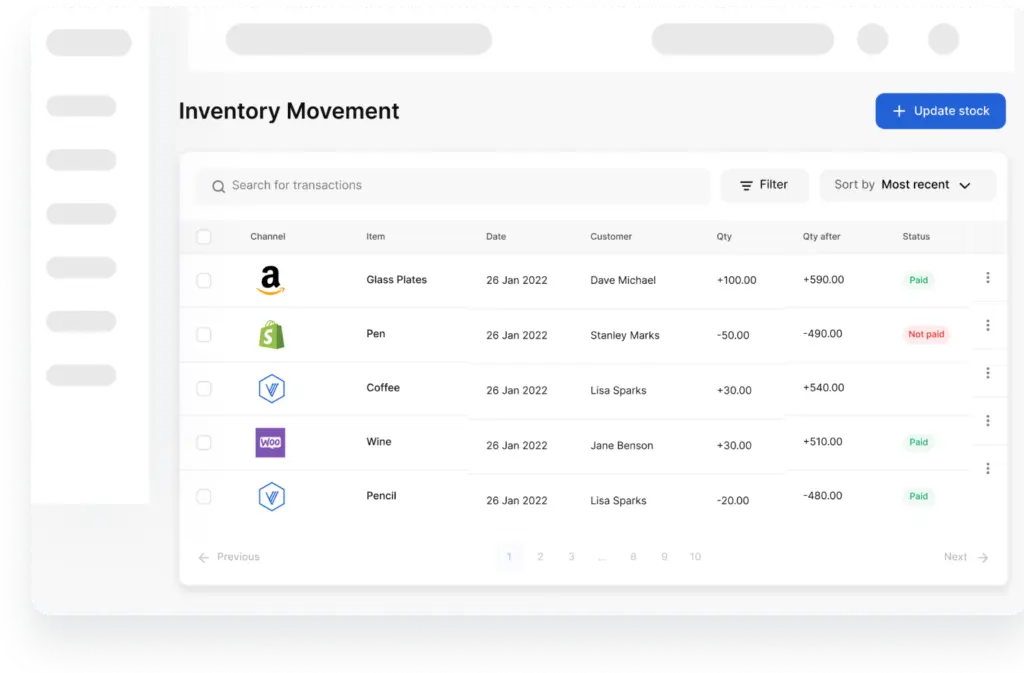
Organize your inventory across multiple channels and devices
7 Inventory Accounting

Get inventory and accounting reports

Access detailed insight into product performance and improve business decision-making with our inventory and accounting software.

  • Know your most sold or frequently bought products
  • See the total value of stock using the inventory valuation report, and inventory accounting
  • Know your most profitable items by inputting the cost and selling price
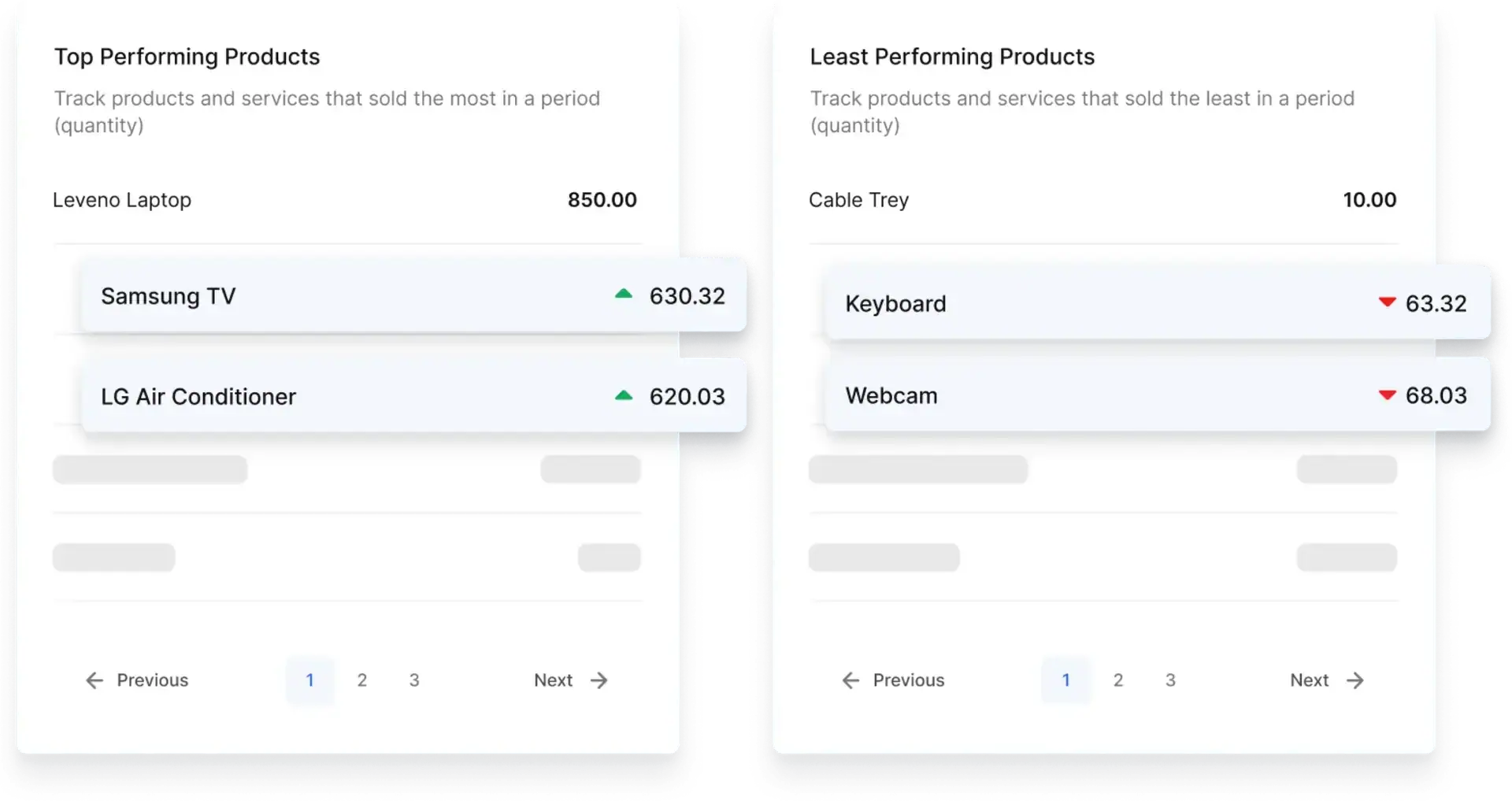
Get inventory and accounting reports

Pricing

One price. No accounting add-on.

Every plan includes inventory, invoicing, and double-entry accounting.

Starter

For solo business owners with light inventory.

$6 $5 /mo

  • 1 user per account
  • 50 invoices and/or receipts
  • Track 50 products or services
  • Record 200 clients transactions
  • Simple business reports
  • Basic chat and email support
Start 14-day Trial

Enterprise

For large teams with inventory, vendor management, and multicurrency needs

$50 $45 /mo

  • 5 users per account
  • Unlimited invoices and/or receipts
  • Track unlimited products or services
  • Manage unlimited clients records
  • Double-entry accounting reports
  • Warehouse inventory management
  • Purchase Orders and Vendor Bills
  • Quotes and Estimates
  • Order Management (Shipping tracker)
  • Audit log and data history
  • Multi-currency invoicing & accounting
  • Removed branding from PDFs
Start 14-day Trial

Just starting out? Get the free plan — 15 invoices/mo, no time limit, no card.

Built around how you sell

Inventory and accounting software for retailers and wholesalers

Whether you sell by the case or over the counter, Vencru keeps stock, sales, and books in one place.

Wholesale

Follow purchases, customer balances, and margins

Check stock before taking an order. Create a customer invoice, record payments, and follow any balance due. Use purchase records and product margins to plan what to buy next.

  • Create invoices and record sales
  • Track inventory
  • Manage purchase orders
  • Record vendor bills
  • Track expenses and payments
  • Manage customers and vendors
Retail

Connect checkout, stock, and daily sales

Scan products at checkout and record each sale with POS. Check what is running low, review the day’s sales, and compare product costs and store expenses to see what your sales earn.

  • Record sales with Vencru POS
  • Scan products at checkout
  • Check what is running low
  • Review the day’s sales
  • Track inventory and COGS
  • Compare product costs and store expenses

Before you start

Questions about inventory and accounting software

What is inventory and accounting software?

Inventory and accounting software tracks both your products and the money behind them. Your stock records show what you have and what it cost. Your books show sales, expenses, and balances due. Vencru brings these records together, so you can follow goods from purchase to sale and see how they affect profit.

How is integrated inventory and accounting different from stock tracking alone?

Stock tracking tells you which products you have, where they are, and when to reorder. Integrated inventory and accounting also links those products to their costs, sales, and financial records. You can review stock value, cost of goods sold, and gross profit alongside business expenses, rather than judging performance from stock counts or sales totals alone.

Is Vencru suitable for both retailers and wholesalers?

Yes. Vencru’s inventory and accounting software is built for businesses that buy and sell products. Wholesalers can manage supplier purchases, customer invoices, and unpaid balances. Retailers can record POS sales, scan products, and check stock levels. Both can review product costs and business reports as they decide what to buy, sell, or reorder. See how Vencru fits wholesale inventory and accounting for wholesalers, or retail store inventory and accounting for retailers.

Does stock update automatically when I make a sale?

Yes. When you record a product sale through a Vencru invoice or POS, the items sold are deducted from stock. For example, sell three units from a stock of 100, and the quantity falls to 97. You can then track the customer’s payment against that sale without recording a second sale.

Which inventory and accounting reports can I get?

Vencru provides reports that answer different business questions:

  • Inventory valuation: What is the stock I still hold worth?

  • Product sales: Which items are selling?

  • Profit and loss: What remains after product costs and other expenses?

  • Balance sheet: What does my business own and owe?

  • Cash flow: How is cash moving in and out?

Can I manage stock across multiple warehouses?

Yes. Vencru tracks stock by location, so you can see quantities in each warehouse or store, transfer stock between them, and check availability before a sale. Purchases, sales, and transfers update the same records, so stock value and reports stay accurate across locations. Warehouse inventory management is included on the Enterprise plan.

Do I need separate accounting software with Vencru?

No. Vencru has its own double-entry accounting, so its inventory and accounting workflow does not depend on a QuickBooks or Xero connection. See how Vencru compares with QuickBooks and Xero. You can manage stock, customer invoices, supplier bills, expenses, and financial reports within Vencru. Full accounting reports are available on Growth and Enterprise.

Can I bring my stock list from a spreadsheet?

Yes. Import your inventory from a spreadsheet, then check product details, quantities, and costs before you start recording sales. Use your trial to test the import with your stock list.

How much does inventory and accounting software cost?

Vencru has a free plan with 15 invoices a month, no time limit and no card needed. Paid plans are $6, $30, and $50 a month on monthly billing, with lower rates on annual billing. Every plan includes inventory, invoicing, and double-entry accounting, and full accounting reports come with Growth and Enterprise. See pricing.

Can I set reorder points and low-stock alerts?

Yes. Set a reorder point for each product, by location, and Vencru alerts you in the app and by email when stock falls to that level. Alerts don’t place orders for you: you decide what to buy and create the purchase order in Vencru.

Can Vencru alert me when stock is low?

Yes. Set a reorder point for any product and get alerts in the app and by email. See how reorder alerts work.

Try it with the products you already sell

Inventory, invoicing, and accounting in one system - from $30/mo, set up today.