Built for Wholesale & Retailers

Online purchase order software built for wholesalers and retailers

Order stock, track supplier purchases, and turn purchase orders into vendor bills. Vencru links your POs, stock, sales, and books, so you can manage each step in one place.

Start 14-day Trial

Purchase orders and vendor bills are included on Growth and Enterprise.
Online purchase order software

How it works together

Manage purchase orders from supplier order to vendor bill

Vencru keeps each purchase order in the same system as your stock and supplier bills. Start with what you need to buy, record the goods received, then track what you owe.

1 Create and send

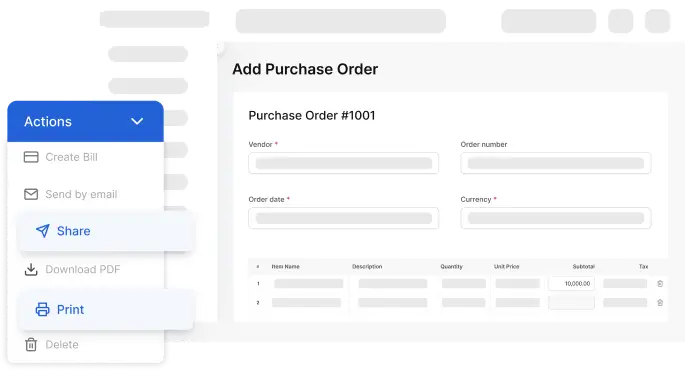
Create and send purchase orders online

Give suppliers a clear record of what you need. With Vencru's purchase order software, choose products from your item list, then add quantities, costs, and terms. Email the purchase order or download a PDF to share.

  • Keep supplier and item details on the order.
  • Set out the quantities and prices you agree to.
  • Add your logo, prices, tax, and payment terms
  • Save the PO in Vencru for later use.
Create and send purchase orders online
2 Track & Receive

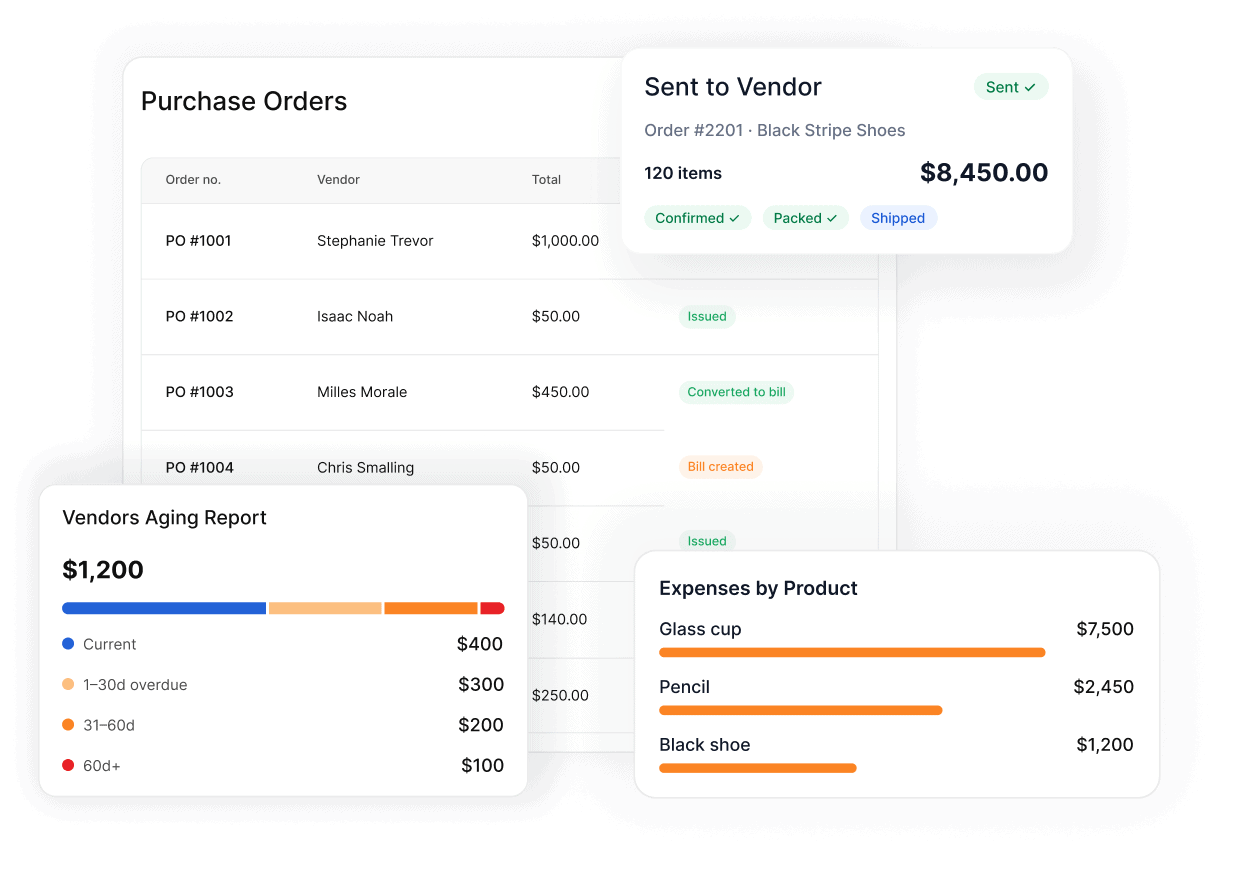
PO tracking software for supplier orders

See which orders are open, delivered, or overdue from one screen. When goods arrive at your store or warehouse, mark them received and update your stock.

  • Check the supplier, PO number, and order date.
  • Review quantities and costs before you record the bill.
  • See which orders have been converted to bills.
PO tracking software for supplier orders
3 bill conversion

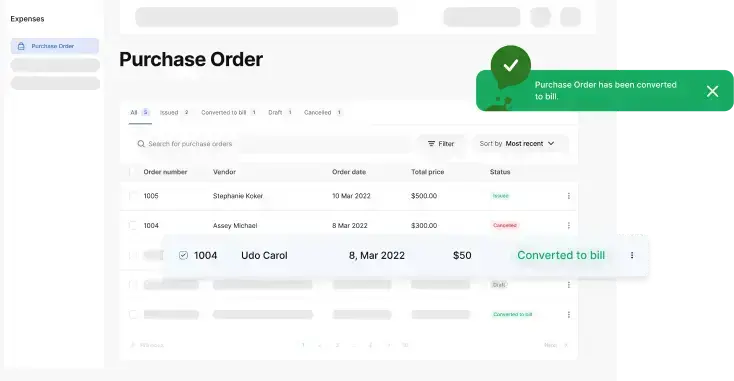
Turn purchase orders into vendor bills in one click

Use the PO you have already made to create the vendor bill. Vencru carries the order details forward, so you do not have to enter each item twice. When goods arrive, check them against the order. Then convert the PO to a vendor bill and review the details before you finish.

  • Reuse the supplier and item details.
  • Keep the purchase and bill in the same system.
  • Track the amount you owe the supplier.
Turn purchase orders into vendor bills in one click
4 Inventory

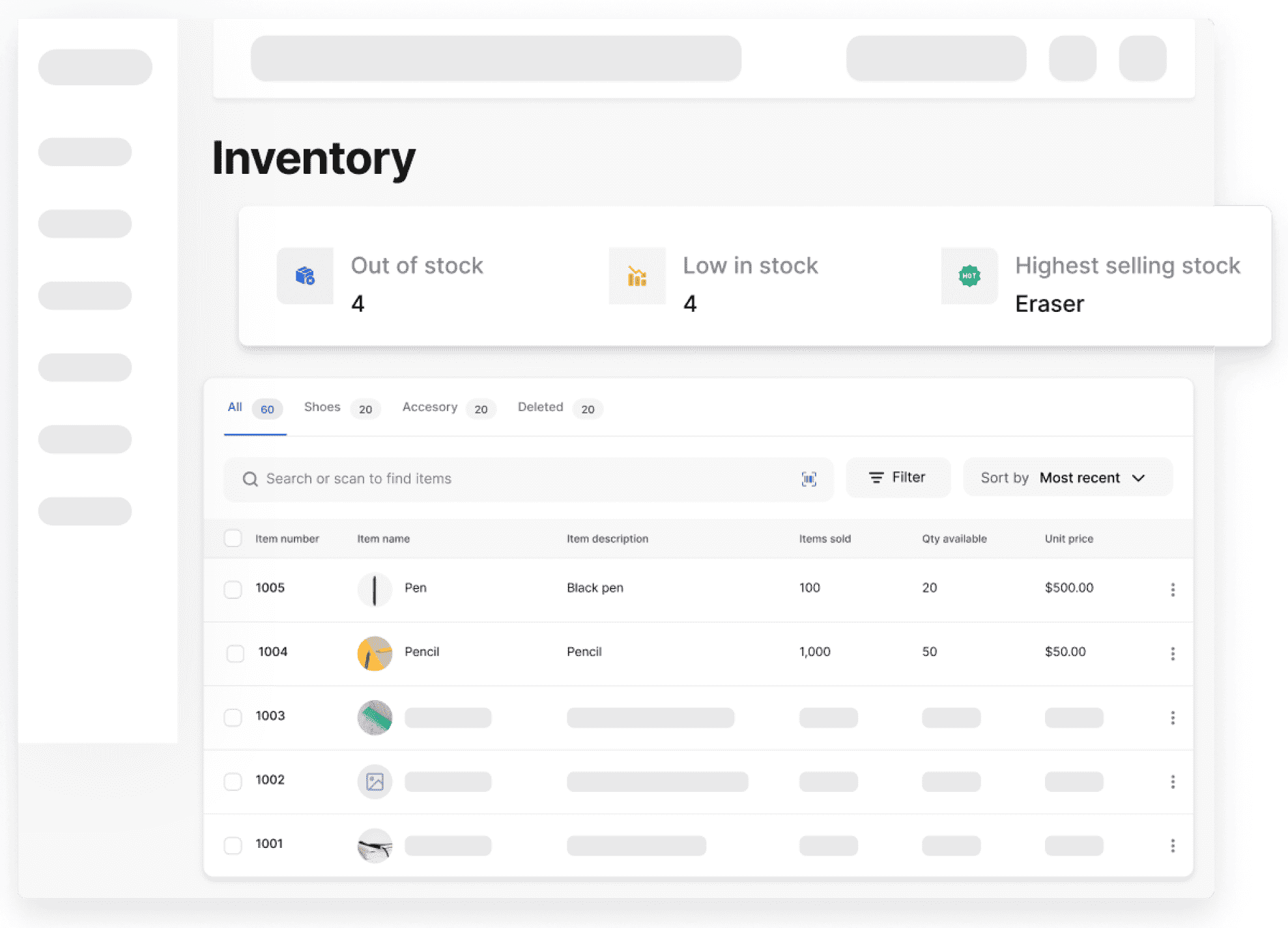
Purchase order and inventory management software in one place

Sync your purchases to your inventory. With PO and inventory software in one app, you can check stock, place supplier orders, record vendor bills, and update stock levels automatically.

  • Get low-stock alerts when it is time to reorder
  • Add products from your item list to a PO.
  • Use stock levels to help decide what to order.
  • Keep purchase costs linked to your stock records.
Purchase order and inventory management software in one place
5 Inventory, Invoicing & Accounting Sync

Keep inventory, invoicing, and accounting connected

Standalone PO tools only make forms. Vencru connects your purchasing to your inventory, customer invoices, and double-entry accounting.

  • Get low-stock alerts when it is time to reorder
  • Sell received items on customer invoices, POS, or Shopify
  • Update accounts payable, COGS, and profit reports automatically
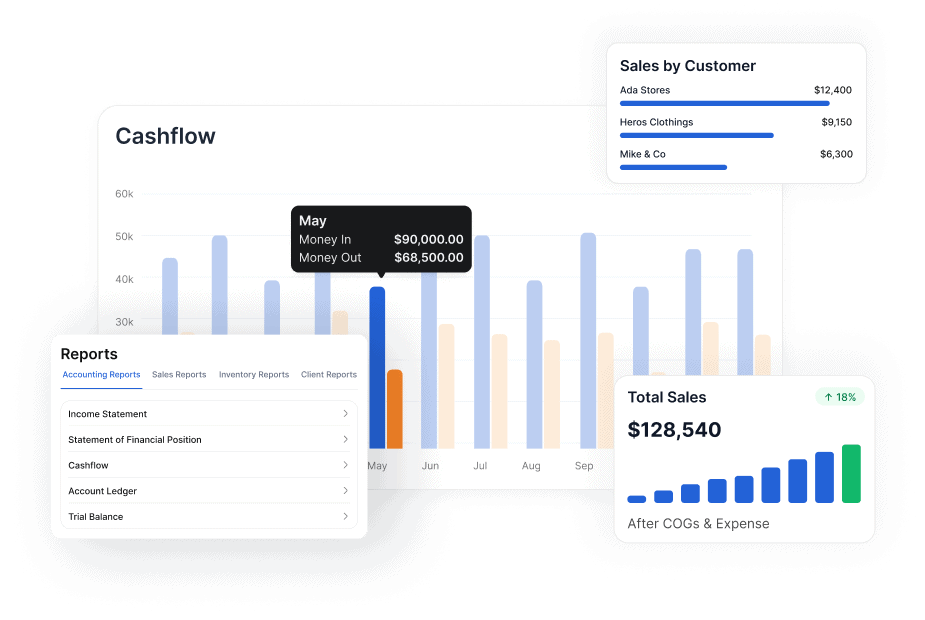
Keep inventory, invoicing, and accounting connected

Join 25K+ businesses who love Vencru

“I tell all my friends about Vencru. Everything's in one place — and the support team is always available.”

Saumil Patel · Owner, Convenience Demand Wholesale LLC

“Their customer support is superb — very efficient and prompt in solving technical issues.”

Kayla Lim · Owner, Kayla Crystals

Pricing

One price. No accounting add-on.

Every plan includes inventory, invoicing, and double-entry accounting.

Starter

For solo business owners with light inventory.

$6 $5 /mo

  • 1 user per account
  • 50 invoices and/or receipts
  • Track 50 products or services
  • Record 200 clients transactions
  • Simple business reports
  • Basic chat and email support
Start 14-day Trial

Enterprise

For large teams with inventory, vendor management, and multicurrency needs

$50 $45 /mo

  • 5 users per account
  • Unlimited invoices and/or receipts
  • Track unlimited products or services
  • Manage unlimited clients records
  • Double-entry accounting reports
  • Warehouse inventory management
  • Purchase Orders and Vendor Bills
  • Quotes and Estimates
  • Order Management (Shipping tracker)
  • Audit log and data history
  • Multi-currency invoicing & accounting
  • Removed branding from PDFs
Start 14-day Trial

Just starting out? Get the free plan — 15 invoices/mo, no time limit, no card.

Spreadsheet comparison

Purchase order software vs. spreadsheets and PDF templates

A template can help you write a PO. Vencru's purchase order management software also helps you store supplier orders, track their status, and turn them into vendor bills. Inventory and accounting stay in the same system as your purchase records.

Vencru
PO Template
Create a PO
Use supplier and product records in the app.
Enter details in a separate file.
Review past orders
View purchase orders in one list.
Find and check saved files.
Create a vendor bill
Convert the existing PO to a vendor bill in one-click.
Create another vendor bill seperately
Manage stock purchases
Keep the vendor bill and stock purchase linked.
Keep a separate stock record.
Review what you owe
Track vendor bills and supplier balances.
Maintain a separate payment tracker.
Manage sales and books
Use invoicing, inventory, and accounting in Vencru.
Use other tools or sheets.

Before you sign up

Questions about online purchase order software

What is purchase order software?

Purchase order software helps you create, send, save, and track orders to suppliers. A PO lists what you want to buy, how much you need, and the prices and terms. Vencru links these orders to vendor bills, inventory, and accounting, so you can manage the purchase in one app.

How does purchase order tracking software work in Vencru?

Vencru stores supplier orders in one list. Open an order to check the supplier, date, items, total, and status. When you convert the PO to a vendor bill, that next step is recorded in the same system. You can review the order without searching through separate files or emails.

Does creating a purchase order increase my stock?

No. A PO records what you plan to buy. It does not add those items to stock on hand. When the goods arrive, check the order and record the received stock through the vendor bill step. This keeps planned purchases separate from stock you have received.

Does Vencru combine purchase orders and inventory management?

Yes. Vencru brings purchase order and inventory management software together in one app. Use your product list to create supplier orders and check stock levels when planning purchases. Record received goods through the vendor bill step to keep stock quantities and purchase costs linked to your books. Creating the PO itself does not add stock.

Can I turn a purchase order into a vendor bill?

Yes. Vencru lets you convert a PO to a vendor bill in one click. The order details carry forward, which saves you from entering each item again. Check the bill against the goods received and the supplier's invoice before you finish recording the purchase.

Does Vencru offer invoicing and purchase order software?

Yes. Vencru includes invoicing and purchase order software alongside inventory and accounting. Send purchase orders to suppliers, record what you owe through vendor bills, and bill customers with sales invoices. Supplier invoices are recorded as vendor bills; customer invoices record your sales. This helps your team keep purchases and sales clear while using one app.

Can I create and send purchase orders online?

Yes. Use Vencru's online purchase order software to choose a supplier, add products, enter quantities and prices, and email the order or download a PDF. The purchase order stays saved in Vencru, so you can review it later and convert it to a vendor bill when you record the purchase.

Free tools & templates

Run the numbers before you run the software

Generators you can use right now in the browser, and spreadsheets built for wholesale and retail. No account, no email wall, no watermark.

Bookkeeping

Track income, expenses and profit in a sheet that's already set up for you.

Excel · Google Sheets · PDF

Get the template

Inventory

Log stock levels, reorder points and stock value across every product.

Excel · Google Sheets · PDF

Get the template

Expenses

Record and categorise spend so nothing is missing when tax season lands.

Excel · Google Sheets · PDF

Get the template

Packing slips

List what's in every box so customers can check the order on arrival.

Excel · Google Sheets · PDF

Get the template

Start managing purchase orders, inventory, and bills in one app

Try Vencru's purchase order software to create supplier orders, track purchases, and turn POs into vendor bills. Your inventory, customer invoices, and accounting stay in the same system.

Start 14-day Trial