Inventory management software that keeps stock and profit in sync
Track inventory across locations, manage sales and purchases, and automatically keep COGS and accounting up to date. Built for growing retailers and wholesalers.
No credit card required · Free plan available · Import from Excel, Zoho or QuickBooks
| Product | On hand | Reorder at | Status |
|---|---|---|---|
| Ceramic floor tile (60×60) | 14 | 50 | Reorder |
| PVC pipe — 2" × 20ft | 312 | 100 | In stock |
| Wall paint — 5 gal, white | 86 | 40 | In stock |
| Door hinge set (brass) | 22 | 60 | Reorder |
Built around the way you sell
Inventory software for retailers and wholesalers
Whether you sell over the counter, online or in bulk, Vencru connects what you buy, what you have, what you sell and what you make.
Keep your shelves stocked and every sale connected
Run your store without losing track of stock, product costs or sales across channels.
- Scan products with barcodes
- Sell with POS or invoices
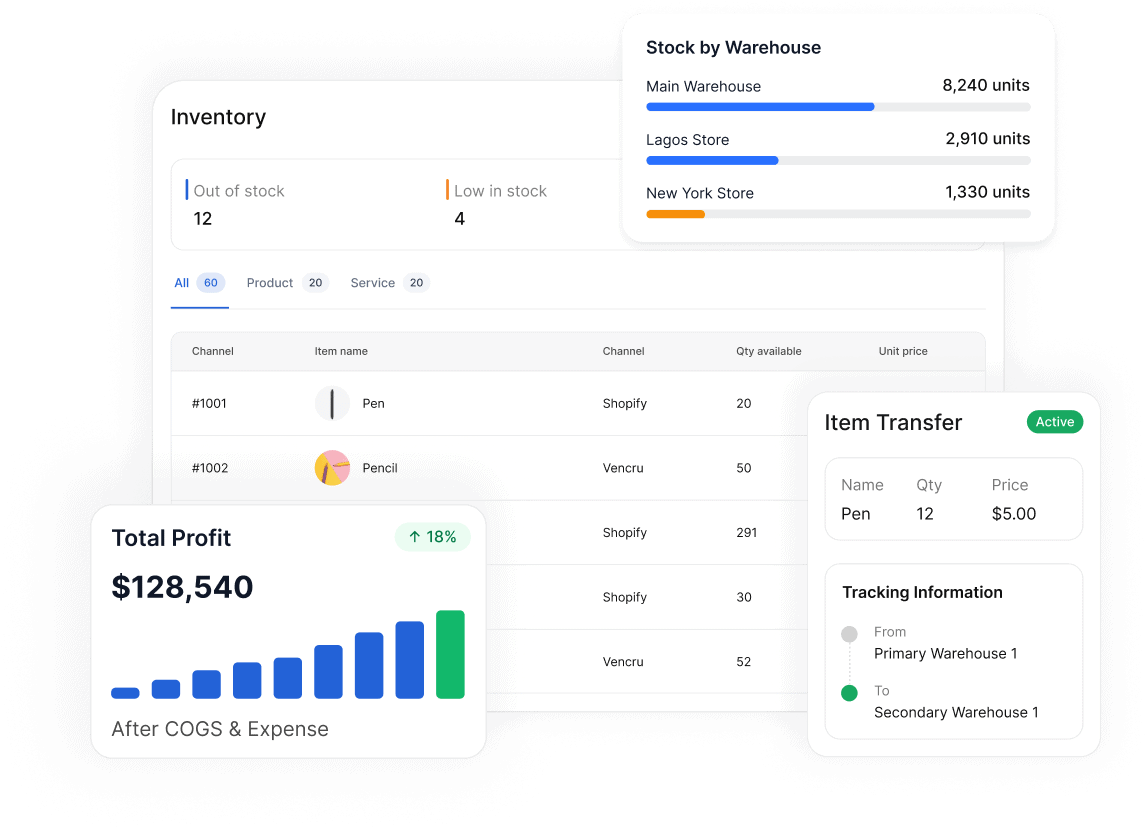
- Track stock across stores and locations
- See low-stock products before they run out
- Track product costs, COGS and gross profit
- Connect online and physical sales workflows
Manage stock from supplier order to customer payment
Keep purchase orders, warehouses, customer invoices and financial records tied to the same inventory.
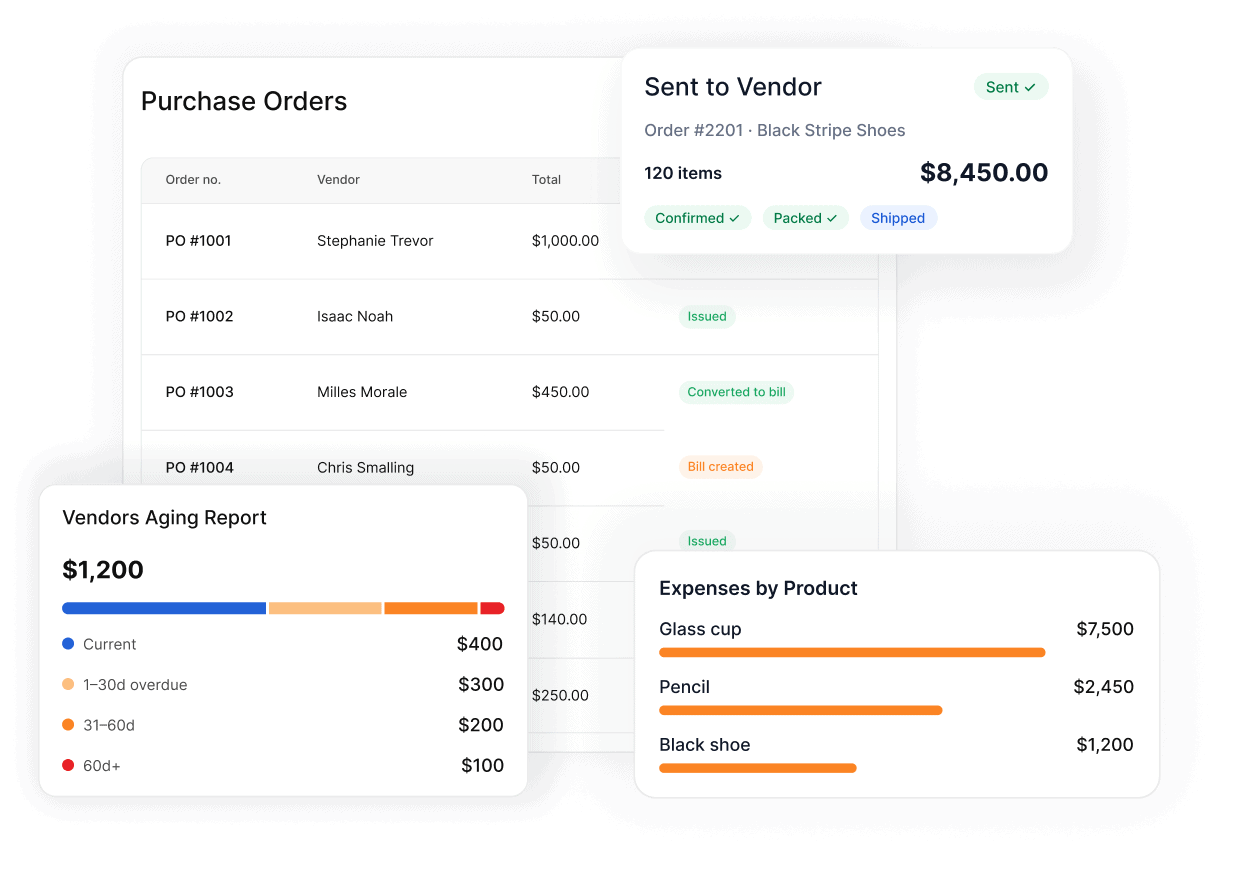
- Create and track purchase orders
- Receive inventory from suppliers
- Manage stock across warehouses
- Transfer inventory between locations
- Invoice wholesale customers and track balances
- See COGS, margin and business performance
One connected workflow
From supplier to inventory to accounting - everything stays connected
Stop updating the same transaction in separate inventory, invoicing and accounting tools.
Buy
Create purchase orders and vendor bills.
Receive
Increase stock when goods arrive.
Track stock
See stock by store or warehouse.
Sell
Use POS, invoices or sales workflows.
Update
Reduce stock automatically as items are sold.
Accounting
Keep revenue, stock and COGS connected.
Insights
See what sells and what you make.
Inventory + accounting
Inventory software should not create more accounting work
Most inventory apps tell you how many units you have. Vencru also helps you understand what that inventory means for your revenue, costs and profit.
Your stock and books should agree
Keep operational activity connected to the accounting records behind it.
- No duplicate data entry. Inventory and accounting live in one connected system.
- Know real product margins. Keep sales and inventory costs tied together.
- See financial reports sooner. Reduce the work needed to rebuild transactions elsewhere.
From a business like yours
“I run a physical store and an online store, and Vencru helps me keep inventory and sales organized in one place.”
Stephanie Paine · Owner, SPK Wholesale LLC
Replaced 3 tools · closes the books monthly, not quarterly“We have a lot of moving parts in our warehouse. Having purchases, inventory and invoicing together makes it much easier to stay on top of the business.”
Lim Kan · Owner, Kim Wholesale
One system for in-store & online salesWhy Vencru?
More capable than a basic inventory tracker. Simpler than an ERP.
Vencru brings inventory, purchasing, sales and accounting together so growing businesses can stop managing the same information in multiple places.
Comparison based on publicly listed entry plans; verified August 2026.
Sell faster without losing track of stock
Know what's available before your customer asks. Keep products, sales and inventory aligned across the way you sell.
- Know what is on hand. See stock quantities by location.
- Find items faster. Scan barcodes instead of searching manually.
- Avoid stockouts. Track low-stock products and reorder earlier.
- Connect sales and stock. Keep every sale tied to the inventory it reduces.
- Know your margins. See revenue next to product cost.
Manage every order from supplier to customer
Wholesale inventory is more than counting units. Keep purchasing, receiving, warehouses, sales orders, invoices and customer balances connected.
- Plan purchasing. Create purchase orders and track what is due from suppliers.
- Receive stock correctly. Update inventory as goods arrive.
- Manage multiple warehouses. Know exactly where your stock sits.
- Sell in bulk. Keep customer orders and invoices tied to inventory.
- Track what customers owe. Keep receivables visible as orders move.
Everything you need to stay in control
Inventory management without the ERP complexity
Get the tools growing product businesses need without stitching together separate systems.
Real-time stock tracking
See what is available, what is running low and where your inventory is located.
Barcode scanning
Find and process products faster with barcode-supported inventory and sales workflows.
Low-stock alerts
Spot products that need attention before a stockout costs you a sale.
Multi-location inventory
Track stock across stores, warehouses and other business locations.
Stock transfers
Move inventory between locations while keeping quantities and movement history clear.
Purchase orders
Order from suppliers, track what is expected and receive inventory when it arrives.
Vendor bills
Keep what you owe suppliers connected to the purchases behind your inventory.
POS and sales receipts
Record counter sales quickly while keeping stock levels tied to each transaction.
Invoices and customer balances
Create invoices and track unpaid balances without separating sales from inventory.
Cost of goods sold
Connect what you sold with what it cost so gross margin is easier to understand.
Inventory and sales reports
See top sellers, slow movers, stock value, sales trends and other operating insights.
Built-in accounting
Keep inventory, sales, purchases, receivables, payables and financial reports connected.
Know what's in stock. Know what's selling. Know what you're making.
Manage inventory, sales, purchases and accounting from one place—without the complexity of a traditional ERP.
Free plan available • No credit card required
Popular industries
Inventory tracking tool made for product businesses
Different businesses move inventory in different ways. Vencru gives retailers, wholesalers and other product businesses one place to manage stock, sales, purchases and accounting.
Learn more
Inventory management basics
Learn the essentials of inventory management, from tracking stock and reorder points to understanding inventory costs and accounting.
What is inventory management software?
Inventory management software helps businesses track stock quantities, purchases, sales, inventory costs and stock movement in one system.
Learn more →What is inventory accounting?
Inventory accounting connects the cost and value of stock with purchases, sales, cost of goods sold and financial reporting.
Learn more →How do reorder points work?
Reorder points help you decide when to buy more stock before available inventory falls too low to meet demand.
Learn more →Inventory management FAQs
Questions retailers and wholesalers ask before switching
What is inventory management software?
Inventory management software helps a business track stock quantities, purchases, sales, product costs and inventory movement. Vencru goes further by connecting inventory with invoicing, purchasing and accounting, so operational activity and financial records stay tied together.
Is Vencru suitable for retailers?
Yes. Retailers can use Vencru to track stock, scan barcodes, make sales, manage multiple locations, monitor low-stock items and keep inventory connected to sales and accounting.
Is Vencru suitable for wholesalers?
Yes. Wholesalers can manage purchase orders, inventory receiving, warehouses, stock transfers, customer invoices, vendor bills, cost of goods sold and business reports from one system.
Can Vencru manage inventory across multiple warehouses or locations?
Yes. Vencru can track stock by store or warehouse and support inventory transfers between locations, helping you see where products are available.
Does Vencru support barcode scanning?
Yes. Barcode workflows can help staff find products and process inventory or sales faster, reducing manual entry when you are working with a larger catalog.
Does Vencru automatically update inventory after a sale?
Yes. When you sell an inventory item, Vencru can reduce the quantity on hand and keep that sale tied to the product and the accounting records behind it.
Do I still need separate accounting software?
No. Many small retailers and wholesalers can manage inventory, sales, purchases, customer balances, vendor bills, and accounting in Vencru. Businesses with more complex external accounting processes can also fit Vencru into those workflows.